
Three agents fit on a napkin. You see who does what, and you can explain it in one sentence.
Thirteen do not. Trip Manager Team has a manager and twelve specialists, and without any structure it looks like this:
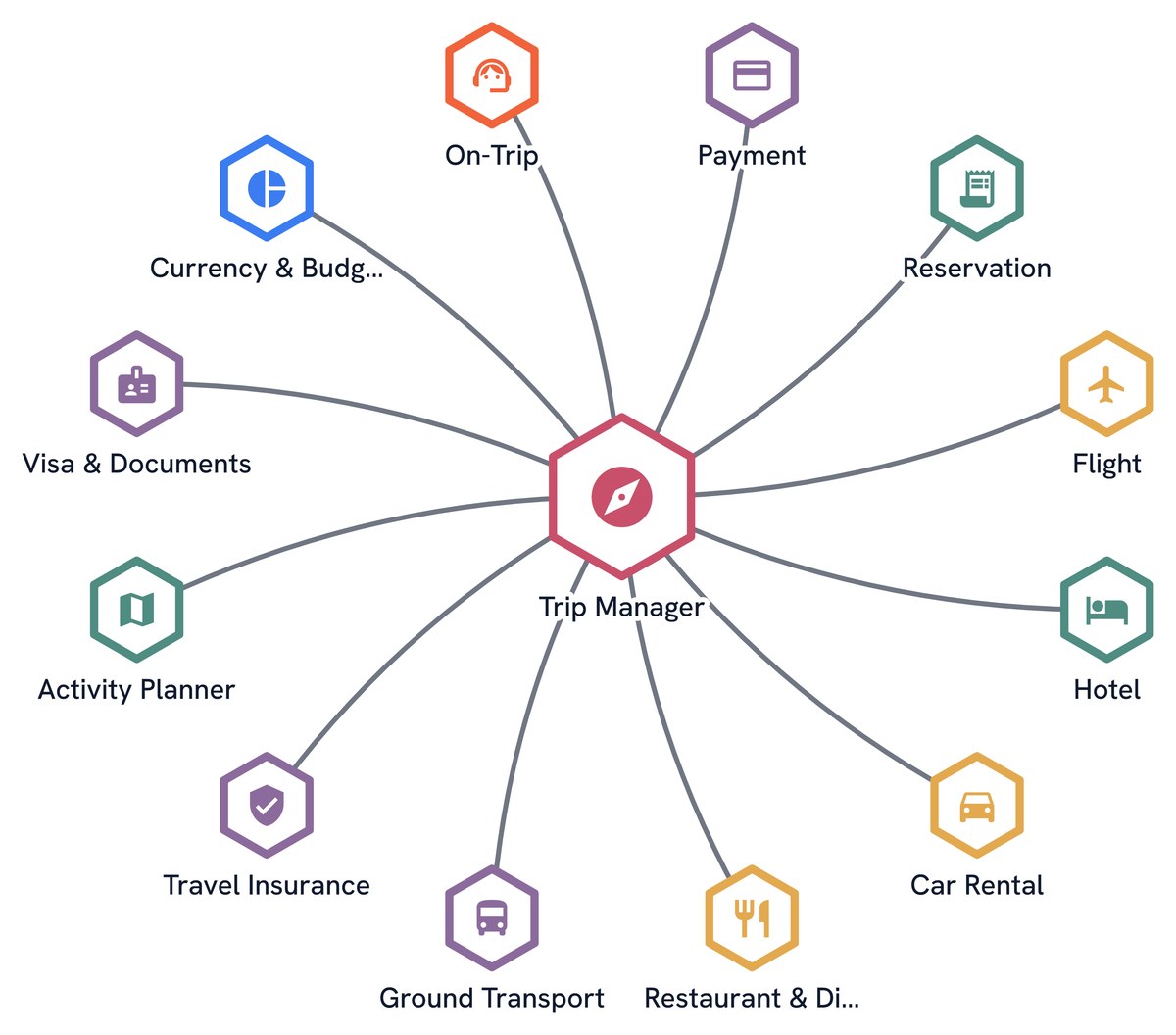
Every agent is there, and nothing tells you how the work divides. Here is the same team, with the same members and the same instructions, once its specialists are grouped:
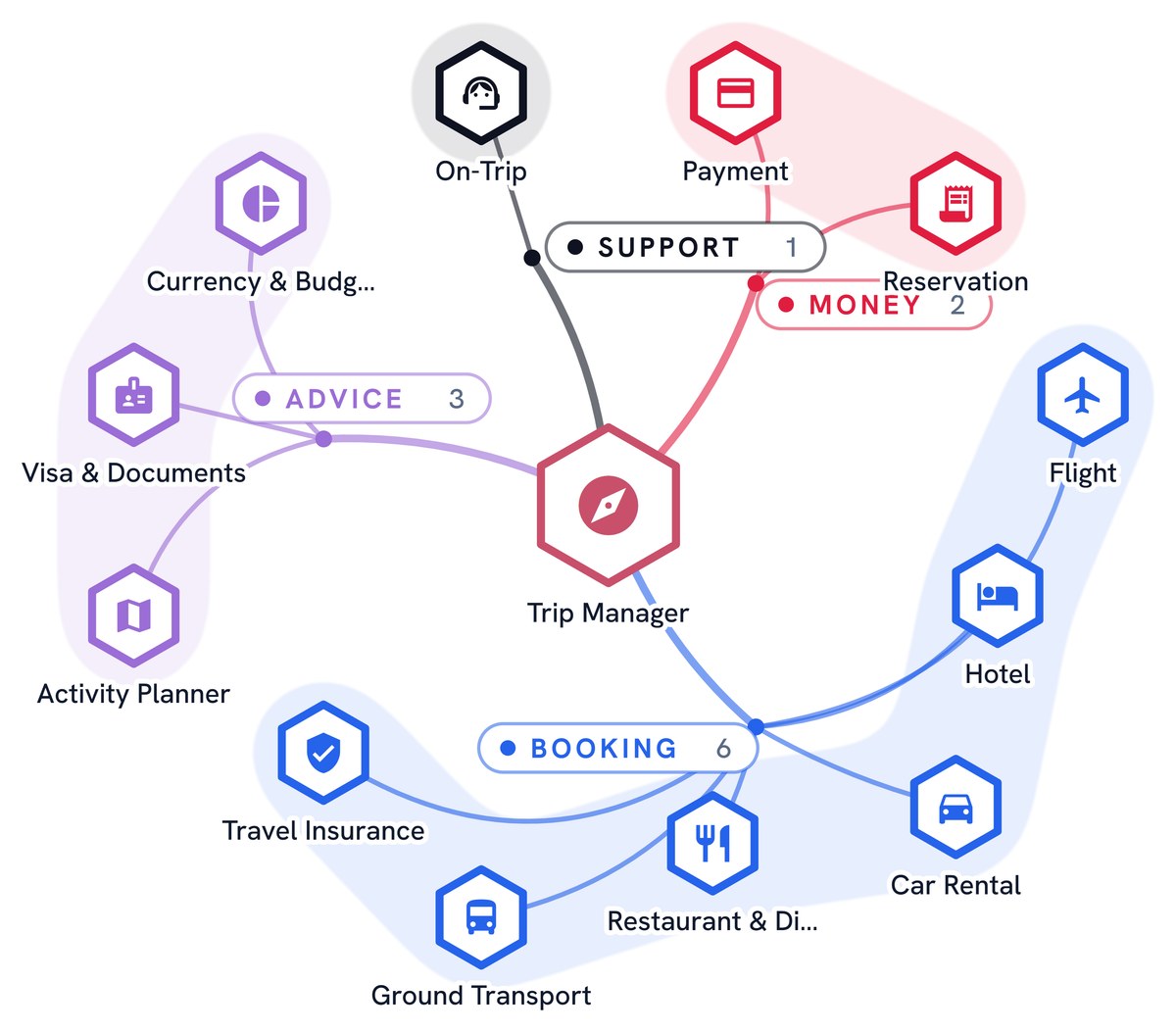
You read it in a second: most of the work is booking, three members advise, two handle the money, one is there for later.
What a group is
A group is a short name and a color, given to the members of a team or to the steps of a workflow. It draws a zone behind them, with its name on it, and each member wears the color of its group.
That is all it is. There is no setting to tune.
What a group does not do
This matters, so let’s be plain: a group changes nothing in how a team runs.
The agents do not see their group. They do not talk to each other through it, and it gives them no shared memory and no new permission. The manager does not choose who works next from the groups: it chooses from each member’s role. Remove every group and the team does exactly the same work.
So a group is not a way to organise the agents. It is a way to organise what people understand about them. That is why it is worth your time.
Why it is worth it
You read the team at a glance
A flat list makes you read every name. Groups let you read four parts, then open the one you care about. The gain grows with the size of the team.
You follow an execution more easily
When a team works, its members light up one after the other. With groups, you see more than a name changing: you see the work move from Advice to Booking, then to Money. You know where the team is in the job.
People get a shared vocabulary
This is the part that surprises most teams. Once a group has a name, people use it. “The Booking part is too slow” is a sentence anyone in the company understands, including people who have never opened the editor. “Agents four to nine” is not.
Groups are how a team of agents becomes something colleagues can discuss: in a review, with a client, or when someone new joins.
The design shows its flaws
Drawing groups is also a test of your own design. A group with one member may be a role that does not belong. A group with most of the team may be several jobs in one. A member you cannot place may have a role that is too vague, and a vague role is also a role the manager hands work to badly.
How to name a group
A group means something only if its name does. A few rules keep them useful:
- Name the job, not the technology. “Booking” says what these members are for. “Search agents” says how they work.
- Use a word your colleagues already use. The group should read like a department, not like a label from a diagram.
- Keep it short. One word is best, and the limit is 32 characters.
- Aim for two to five groups. One group says nothing, and ten bring back the list you were escaping.
- Let the color carry the group, and nothing else. A color means “this group”. It should not also mean “this kind of step”.
The same agent can play a different part elsewhere. A group belongs to the team, not to the agent, so a researcher can sit in “Sources” in one team and in “Analysis” in another.
Groups in a workflow
Workflows have the same need, for the same reason. A long workflow reads as a chain of small boxes, until you see that three of them are the intake and four of them are the approval.
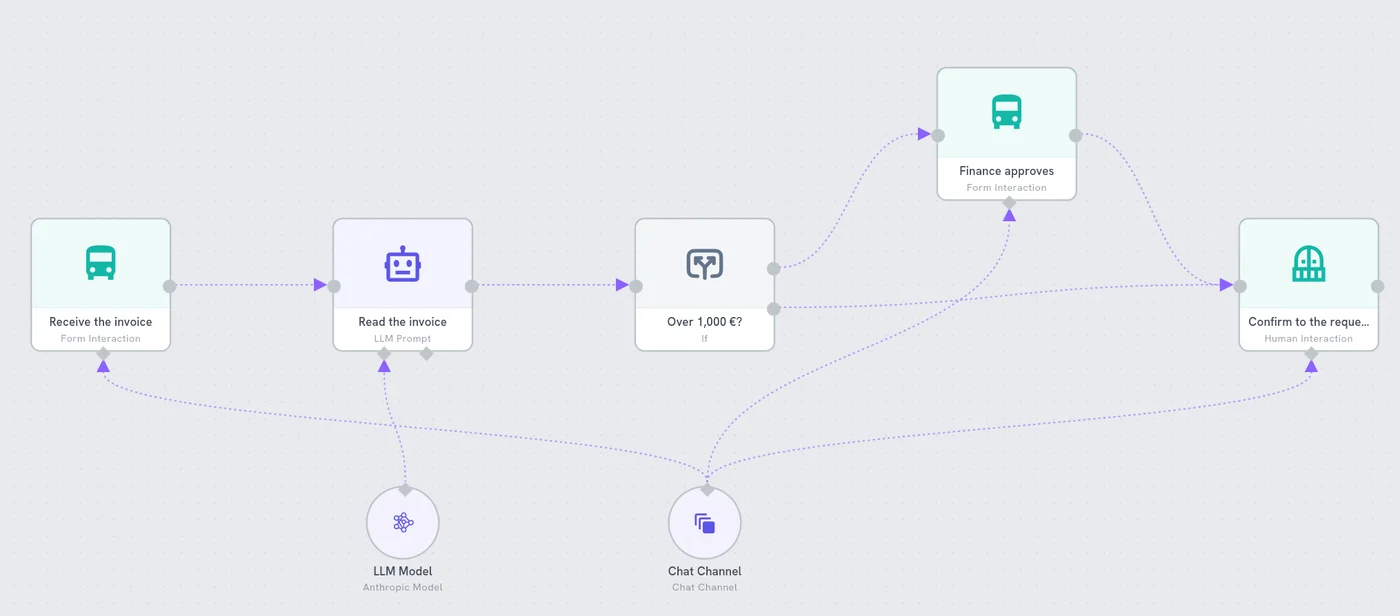
A step takes the color of its group. A step with no group stays neutral, which is useful too: it shows what belongs to no one in particular. As in a team, nothing changes in how the workflow runs. For when to use a team and when to use a workflow, see chatbot, agent, team or workflow.
Group or team inside a team?
Groups only change how a team reads. When a part of the work needs its own manager, or its own way of working, a group is no longer enough: make it a team of its own, and add that team as a member.
A simple test: if you only want to see the part, use a group. If you want it to work differently, use a team.
Try it
Trip Manager Team is one of the ready-made solutions. Open it and look at how its twelve specialists are divided, then try the same on a team of your own: write down its parts in the words you would use with a colleague.
Start a free trial: 14 days, no card.
Ready-made
This solution is a Template.
See what is inside, then add it to your workspace.
See the TemplateQuestions people ask
Do groups change what the agents do?
No. A group is a label for people. The agents do not see it, and the team works the same way with or without it. The manager still chooses who works next from each member's role.
Can an agent be in two groups?
Not in the same team: a member has one group. But a group belongs to the team, not to the agent, so the same agent can sit in a different group in another team.
When should a group become a team of its own?
When that part of the work needs its own manager or its own way of working. A group only changes how a team reads. A team inside a team changes how the work is done.
Are these the same groups as the ones for people in a workspace?
No. Groups of people in Administration decide who can use what. Groups in a team or a workflow only organise the drawing.