
Product · Prompt Studio
Better instructions, better agents.
The instructions of an agent decide how well it works. Prompt Studio lets you work on them by themselves: write, try, check against cases you saved, and get a better version.
How it works
Write, try, check, improve.
When the prompt is good, copy it into the instructions of an agent or into an AI step of a workflow.
- Write the prompt, with places for the values that change
- Try it on an example and read the answer
- Check it against cases you saved, each with the answer you expect
- Ask for an analysis of its strong and weak points, and for a better version
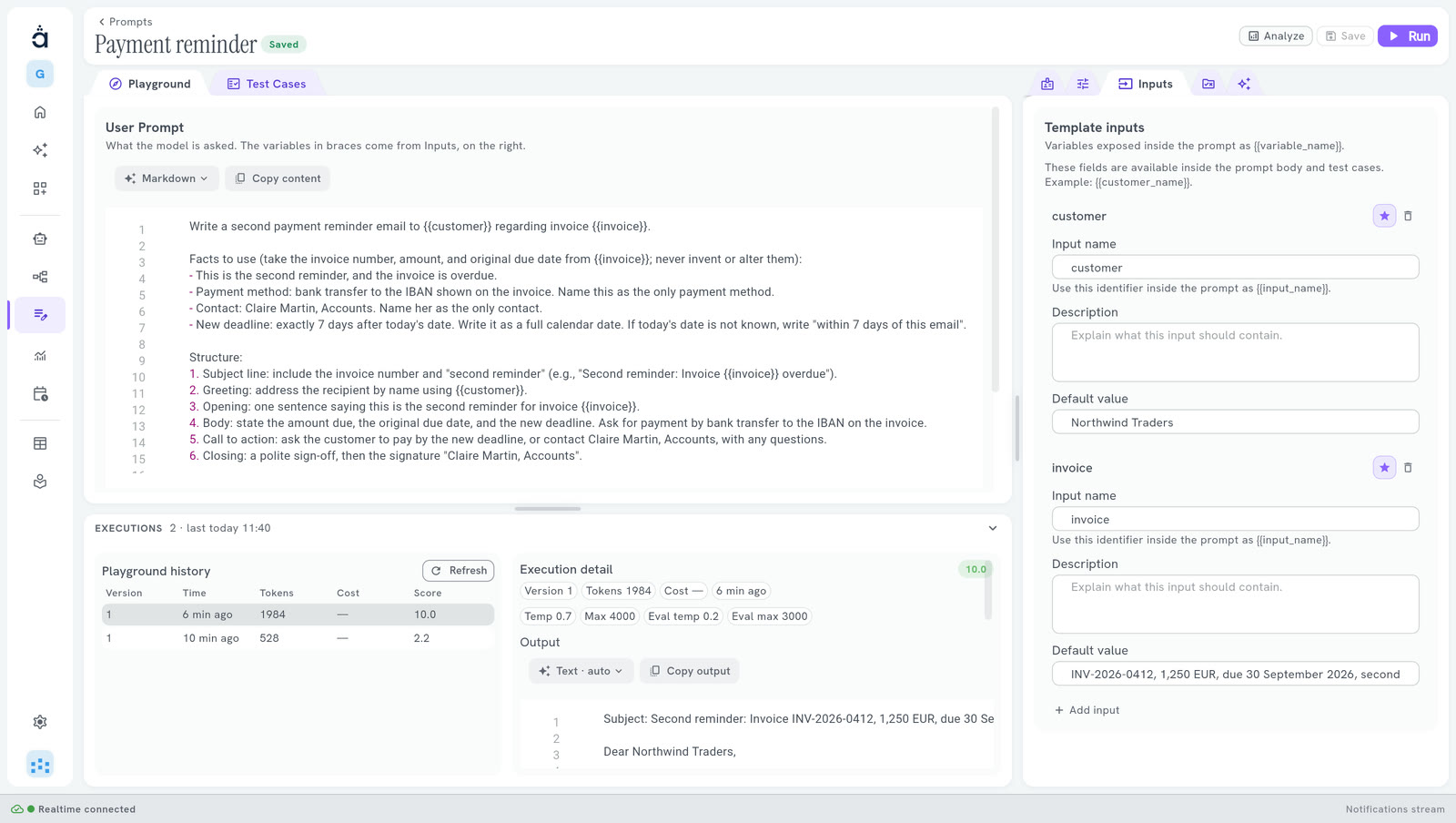
What you work with
Everything to get it right, on one screen.
- Playground Write the prompt and try it freely.
- Inputs The values that change from one request to the next, such as a name or an amount.
- Test cases Keep cases with the answer you expect, and run them all at once.
- Analyze An analysis of the prompt: what works, what does not, and a better version.
- Your model Choose the model connection and its settings, to test with the model your agent will use.
- Debug console The history of what you ran, with the output of each execution.
Questions
What people ask us.
Do I need to code?
No. You write in plain words. Prompt Studio runs the prompt, scores it and proposes a better version.
Which model does it test with?
The model connection you choose in its settings, with your own key.
Are earlier versions kept?
Keeping named versions of a prompt, and going back to one, is not in the Community edition.
Is it free?
The Community edition is free forever, on your own server.
Your next hire is an AI team.
Start free in the cloud: nothing to install.
14 days free · no credit card
Hosting it yourself? The Community edition is free. Install Community