
Product · Agents
One AI specialist. Brief it like a colleague.
An agent is one AI specialist with a role. You describe what it is good at and how it should work, in plain words. Then you give it the tools and the knowledge the job needs.
How you build one
Three things. The rest only when the job needs it.
An agent with a role, good instructions and a model is already useful.
- A role: one or two sentences on what it is good at
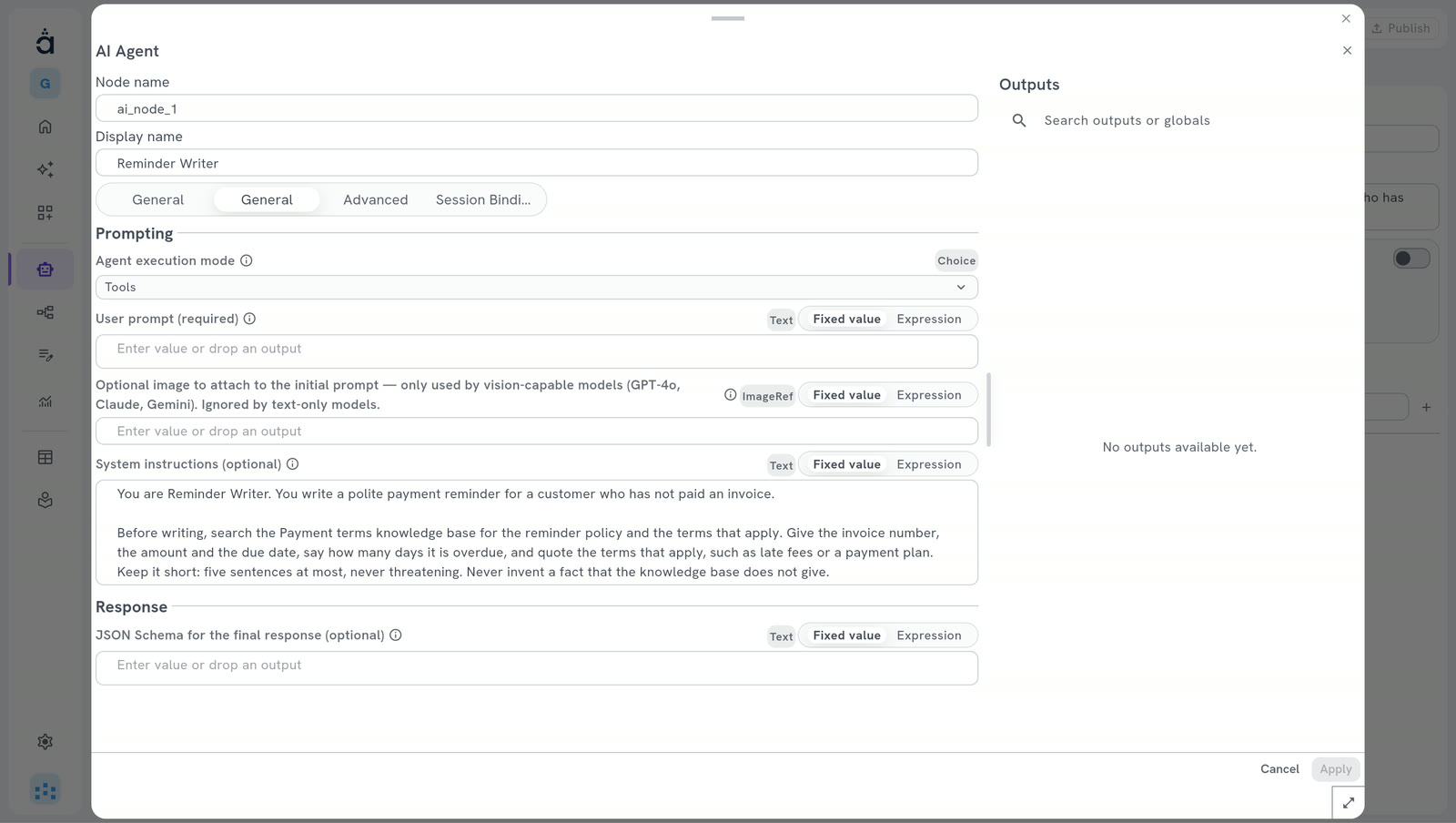
- Instructions: what it must do, and how, in plain words
- A model: the AI model it thinks with, from your own provider
Give it what the job needs
Tools, knowledge, a memory, a person to ask.
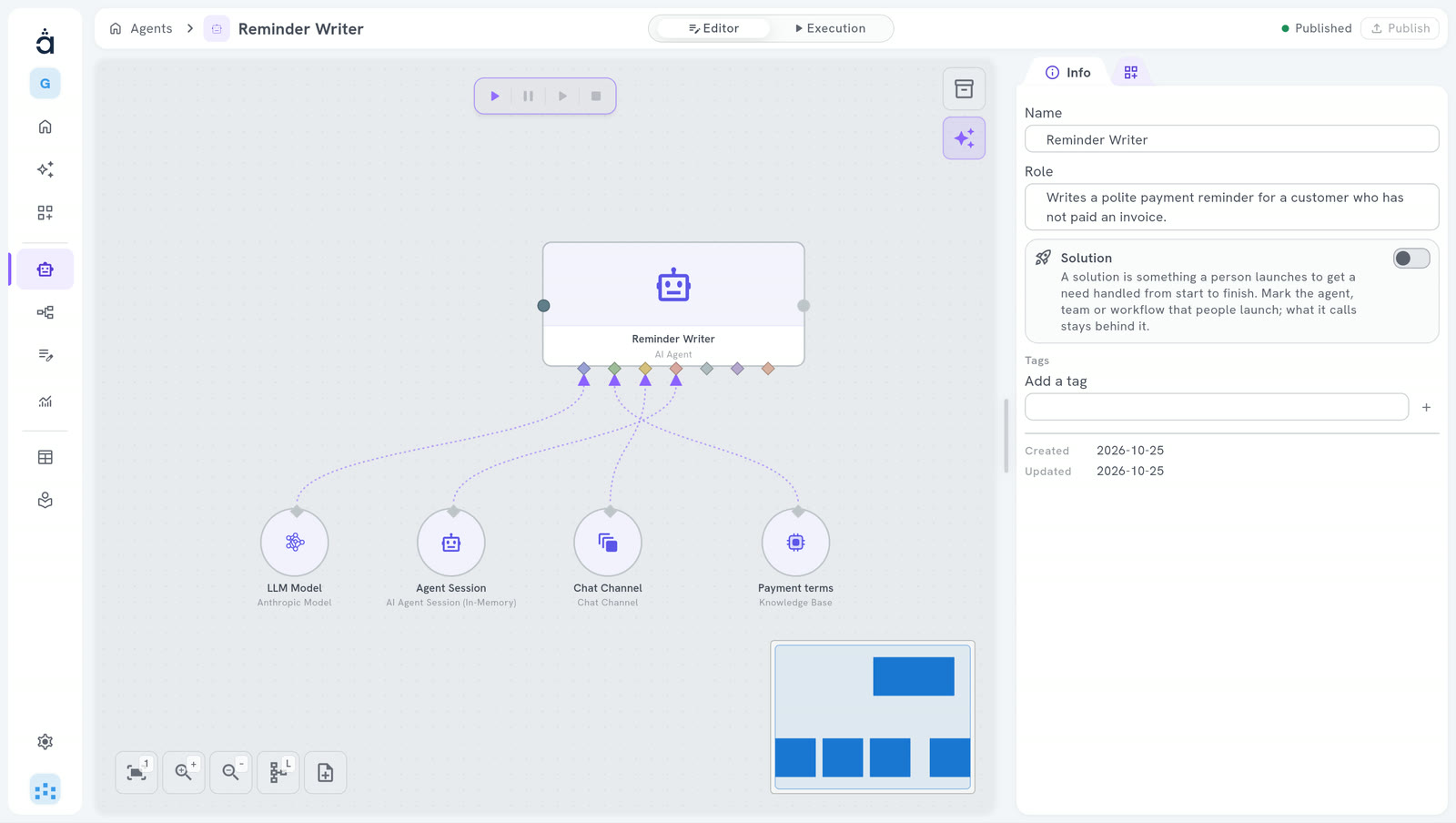
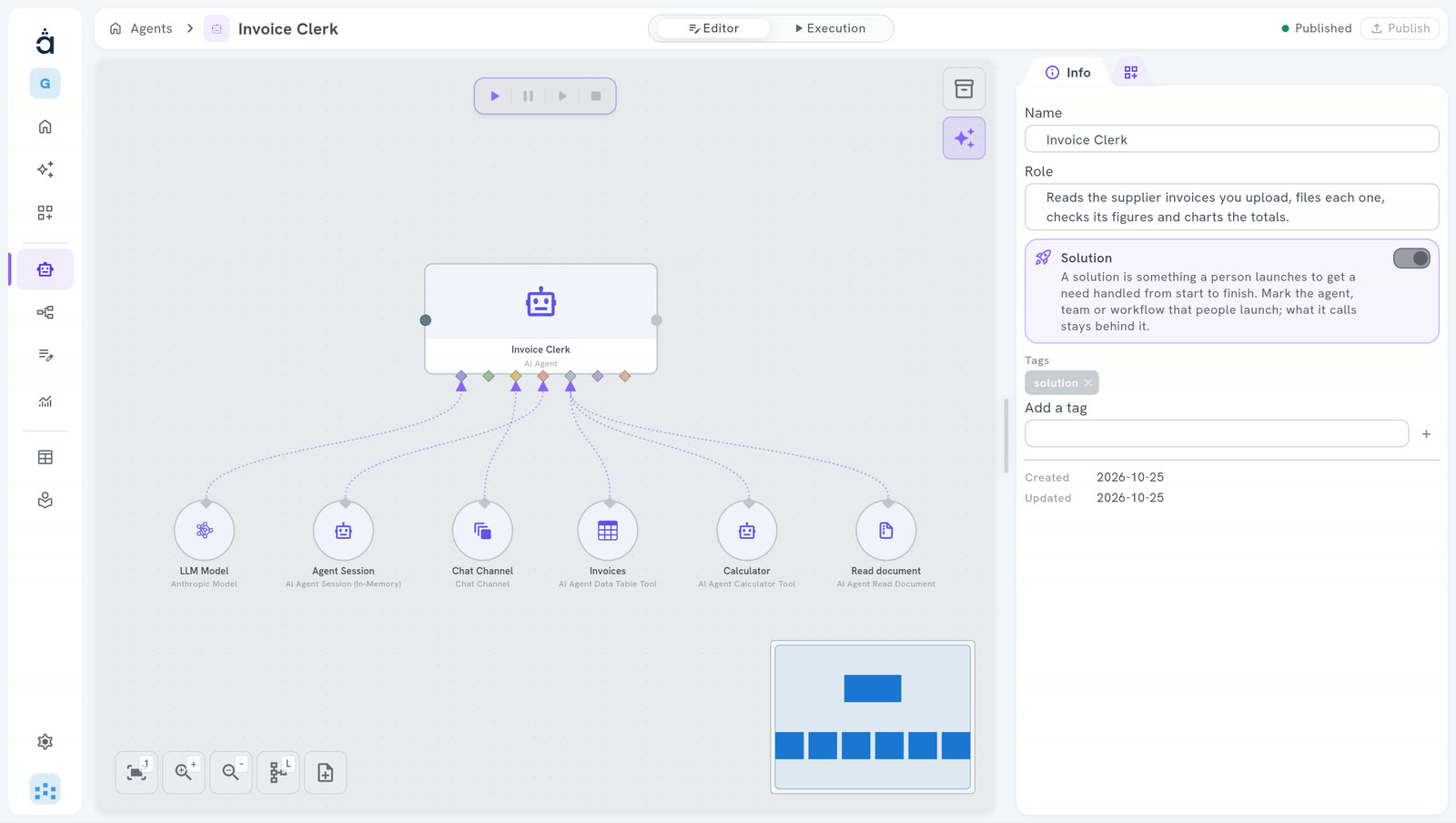
Each one plugs into the agent on the canvas. Add only what the job asks for.
- Tools A calculator, a web search, a data table. The agent chooses which one to use.
- Your knowledge Your own texts, in a Knowledge Base. The agent receives only the passages that fit its question. Knowledge & Data
- A memory A session keeps the conversation, so the agent remembers what was said before.
- A person to ask A channel to reach a person when the agent needs an answer.
- Guardrails Checks on what goes in and out of the agent, for example to block a word.
- A way of working Answer directly, use its tools, or think, act, look at the result and repeat until it can answer.
In the Studio
What you see when you build one.
Where an agent works
Alone, in a team, or in a workflow.
Questions
What people ask us.
Do I need to code?
No. You write the role and the instructions in plain words, and you plug in what the agent needs on the canvas. Or you describe the agent to the Assistant.
Which AI models can an agent use?
The one you connect, with your own key: Anthropic, OpenAI, Google Gemini, xAI, DeepSeek or AWS Bedrock.
When should I use a team instead?
When the job has several parts that need different skills, or a check by someone else. One agent is enough for one clear task.
Is it free?
The Community edition is free forever, on your own server.
Your next hire is an AI team.
Start free in the cloud: nothing to install.
14 days free · no credit card
Hosting it yourself? The Community edition is free. Install Community