
Product · Knowledge & Data
Your documents, your data. Ready for your agents.
An AI model does not know your company. Give your agents your own texts to search, and tables to look up and fill.
Knowledge Bases
Your texts, found by meaning.
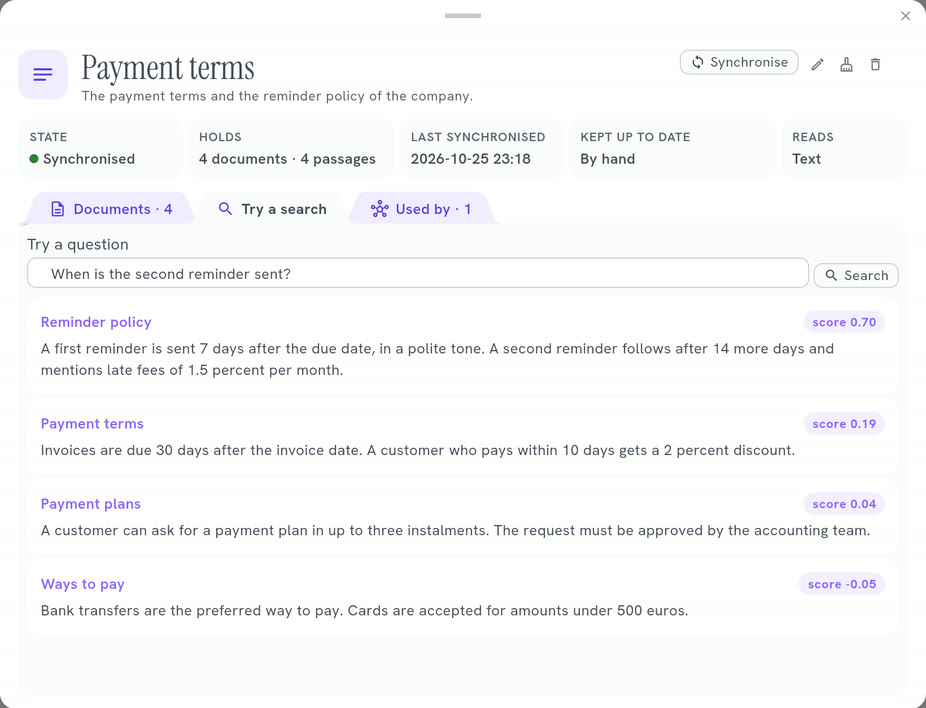
A base reads a source and keeps it cut into short passages. When an agent asks a question, it receives only the few that fit.
Create a Knowledge Base →- It finds by meaning: a question about sending a laptop back finds the passage titled Returns
- It stays up to date: it reads its source again, as often as you choose
- It needs no account: the search runs on your server, with a small local model
What a base can read
Eight kinds of source.
- Text Texts that you type in the base itself.
- Files Plain text, Markdown, HTML or JSON files: one file, or a folder.
- Web pages Web pages that you list, one address per line.
- Sitemap Every page of a website, from its sitemap.
- RSS or Atom feed The latest entries of a news feed or a blog.
- API A web address that returns text or JSON.
- PostgreSQL The rows of a PostgreSQL database, read with a query.
- SQLite The rows of a SQLite file, read with a query.
Files and SQLite read the server: they are for an installation that you run yourself.
Data Tables
Where the work is kept.
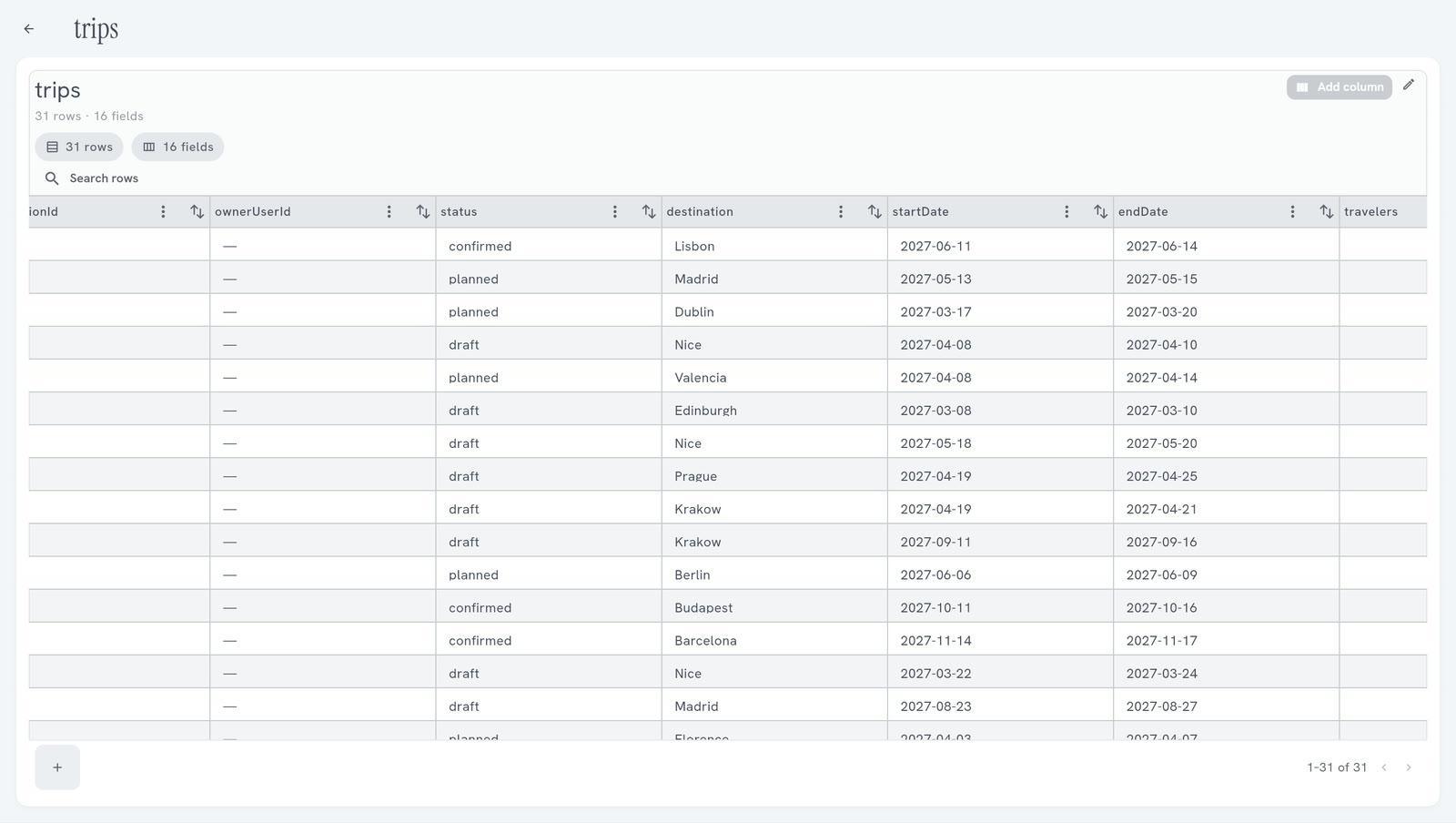
An agent or a workflow forgets everything when its execution ends. A Data Table keeps it, in rows and columns that you can open and filter in the Studio.
Create a Data Table →- Keep what was done: the reminders sent, the invoices read
- Give facts to work from: customers, products, open invoices
- Pass work between solutions: one fills a table, another reads it
- Show data in an application built with the SDK
Which one
Texts or rows? Each has its place.
- The agent must know your texts A Knowledge Base: your policies, your guides, the pages of your site.
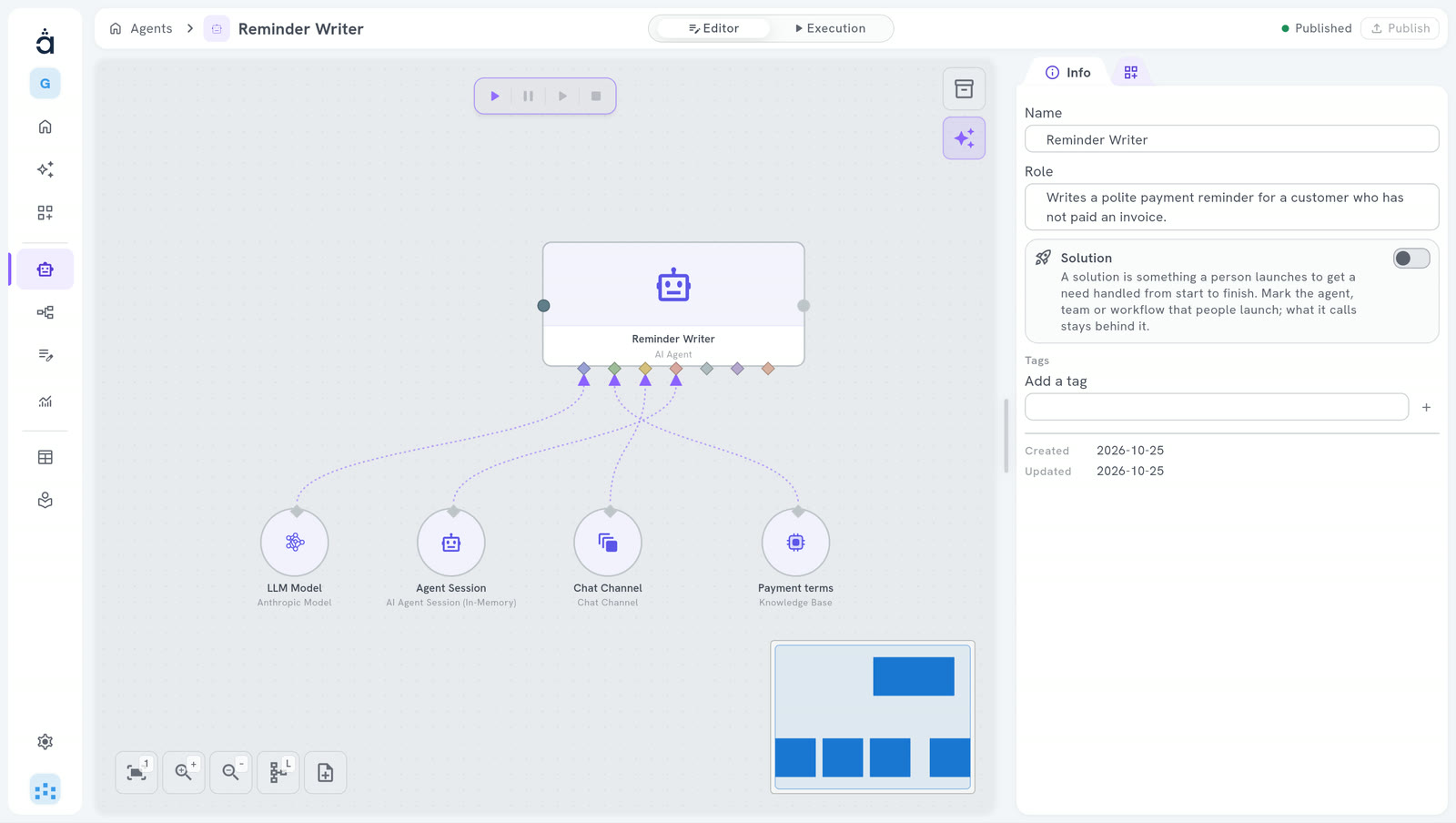
- It must look up or change a value A Data Table: one row per customer, invoice or trip.
- It must remember the conversation A session, plugged into the agent. Agents
Questions
What people ask us.
Does my data leave my server?
The search runs on your server. The passages an agent receives are sent to your AI model provider, like the rest of what the agent works with. Do not put in a base what must not leave your server.
Who can use a Knowledge Base?
An agent searches it when it wants, with a tool named after the base. An AI step can search it once and add the passages to its prompt. And you can try a search in the Studio.
Who can use a Data Table?
You in the Studio, a workflow step, an agent with a tool, and an application built with the SDK.
Is it free?
The Community edition is free forever, on your own server.
Your next hire is an AI team.
Start free in the cloud: nothing to install.
14 days free · no credit card
Hosting it yourself? The Community edition is free. Install Community