
Use an agent or a team as a step
Ce contenu n’est pas encore disponible dans votre langue.
You have built an agent or a team, and it works. To use it inside a workflow, you do not rebuild it: you add one step that calls it. The example calls the agent Reminder Writer from a workflow.
Three steps, one for each kind
Section titled “Three steps, one for each kind”| Step | What it calls | Where it is in the Nodes catalog |
|---|---|---|
| Agent | An agent of your library. | AI > Agents |
| Team | A team of your library. | AI > Agents |
| Workflow | Another workflow of your library. | Core > Workflow |
The three work the same way. You choose what the step calls, you write the message it sends, and the next steps use the answer.
AI Agent step, or Agent step
Section titled “AI Agent step, or Agent step”| AI Agent step | Agent step | |
|---|---|---|
| Where the agent is defined | In the workflow. You write its instructions and plug its model there. | In Studio > Agents. The workflow only calls it. |
| Use it when | The agent serves this workflow only. | The agent exists already, or serves several workflows. |
See Add an AI step to a workflow for the first one. This page is about the steps that call your library.
What you need
Section titled “What you need”- A workflow open in the editor. See Create a workflow.
- An agent, a team or a workflow that works on its own. Try it first: see Run an agent, Run a team or Run a workflow.
Add the step
Section titled “Add the step”- Open the Nodes catalog and search for
Agent,TeamorWorkflow. - Drag the step onto the canvas.
- Link the step before it to its left dot.
- Right-click the step and select Edit.
Choose what it calls
Section titled “Choose what it calls”- Select Choose an agent… (or Choose a team…, Choose a workflow…).
- A window opens on your library, with its folders and a search field. It shows only what this step can call: the agents for Agent, the teams for Team, the workflows for Workflow.
- Select the one you want. Its name now shows in the window of the step.
The step keeps the identifier of what you chose, not its name. You can rename the agent later: the step still calls it.
Write the message
Section titled “Write the message”In Message, write what to ask, as you would type it in the chat of the agent. For example:
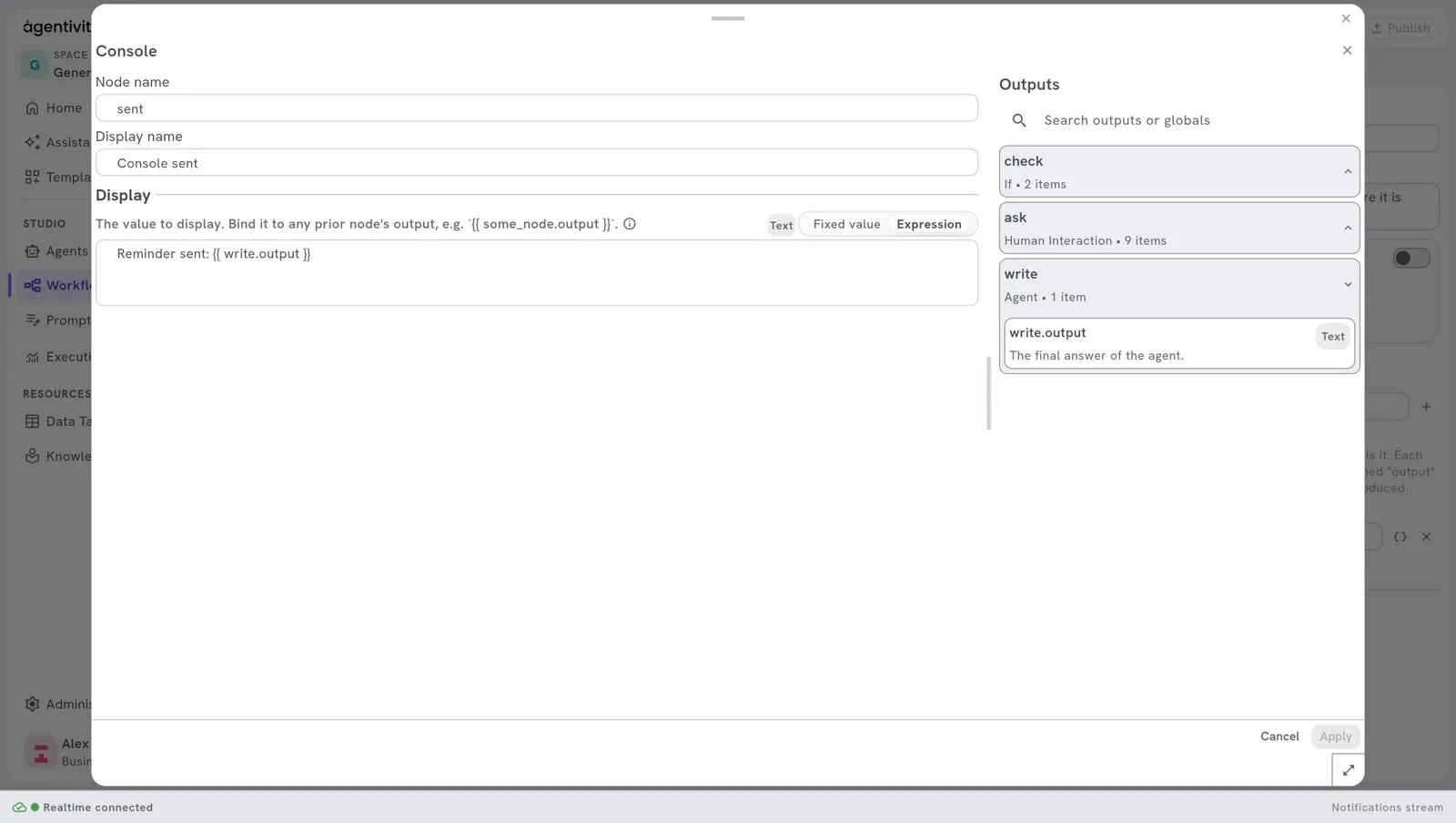
Write a payment reminder for Northgate Bakery, invoice INV-2041, 1,250 euros.To put a value from an earlier step in the message, write the reference of its output: the node name of the step, a dot, the name of the output, between two pairs of curly braces. The panel Outputs, on the right, lists the names you can use.
The step sends only this message. Put in it everything the agent, the team or the workflow needs to know.
Then select Apply, and Publish.
Use the answer
Section titled “Use the answer”What you call is a closed box. The step gets its answer and, when it has some, its named outputs. Nothing else of what happens inside is visible to the step: not the steps of a workflow you called, not what the members of a team said to each other.
| Output | What it holds |
|---|---|
output | The answer. |
| Named outputs | The values that what you call gives next to its answer, each under its own name. |
Use a value in a later step with its reference: the node name of the step, a dot, then the name of the output, between two pairs of curly braces. For a step named call, the reference call.output is the answer, and call.city is a named output city.
The panel Outputs, in the window of a later step, lists the names you can use. It includes the named outputs of what the step calls, with their type and their description.
| You call | Its answer, output | Its named outputs |
|---|---|---|
| An agent | Its final answer. | The fields of the format of its answer, when it has one. See Write the role and the instructions of an agent. |
| A team | The answer of the team: see below. | Those of the member who concludes: see below. |
| A workflow | Its output named output. | The outputs it declares. See Create a workflow. |
What a team gives
Section titled “What a team gives”The answer of a team depends on how it works.
| How the team works | Its answer |
|---|---|
| Manager-led | The final answer of the manager. If the manager ended without one, the last answer given. |
| Handoff | The answer of the last member who answered: the one who handled the request. A member that only passed the request on is not the answer. |
| Sequential | The answer of the last member. |
| Concurrent | The answer of every member, each one after the name of the member (Flights:, then its answer, then Hotels:, and so on), in the order of the team. |
| Group chat | The last answer of the discussion. |
This is also the answer that the execution of the team shows, and the one that a team gives when it is a member of another team.
A team gives the named outputs of the member whose answer is its answer: the one who concludes. In a Manager-led team, it is the manager. A Concurrent team gives none, because nobody concludes there. See Use a team or a workflow as a member.
What a workflow gives back
Section titled “What a workflow gives back”A called workflow gives only what it says it gives: its answer, and the outputs it declares. See “Say what the workflow gives” in Create a workflow.
- Its answer is its output named
output. A workflow that declares none answers with the text of its last step that produced one: the engine looks, from the last step that ran back to the first, for an output namedoutput,result,responseorcontent. - The outputs of its steps are not given. A value that belongs to a step of the called workflow, such as
line.value, cannot be read from the workflow that calls it. If you need that value, declare it as an output of the called workflow.
What we saw: a called workflow that declared output and city gave both, and the calling step read call.city. The value of one of its inner steps, call.a.value, was empty. A called workflow that declared nothing and ended on a Console step gave an empty answer, because the output of a Console is named value.
When what you call fails
Section titled “When what you call fails”A failure inside what you call fails the step that called it: the agent, the team or the workflow fails, then the step that called it, and so on as far as the whole execution. The message says what failed, and why. For example: The workflow 'Reminder Approval' failed: …. When the failure is deep inside, the message names each level.
The step has two exits on its right side: Out, where the workflow goes on, and Error.
- If Error is linked, the workflow goes on from there, and the output
errorholds the message. Link it to a step that handles the failure. - If Error is not linked, the execution fails, and the whole execution with it. No later step runs.
A team whose model does not answer, refuses, or cannot choose which member answers first fails too: the message says that the team could not choose which member answers first. It no longer goes on with a member chosen by default.
When what you call waits
Section titled “When what you call waits”What you call may stop to wait: an agent that asks a person a question, a workflow with an approval step. Your workflow then waits with it, and goes on when what you called has finished.
What we saw with a workflow that asks a person: the calling step showed the state “waiting for input”, and the execution stayed in that state. We did not see the question in the list of pending questions of the calling execution (/executions/{executionId}/hil/pending), so we could not answer it through the API. We did not try to answer it in the Studio. Until this is checked, test a call that waits in the Studio before you rely on it.
This is not possible inside a loop. If a step of a For Each loop calls something that waits, the execution fails, and the message says that a loop cannot wait. See Repeat steps for each item of a list.
What the step refuses
Section titled “What the step refuses”- Something of another kind. Each step calls only its own kind. Given a team, the step Agent stops the execution, with a message that names the chosen item and says that it is a team. Use the step Team for a team.
- Nothing chosen. A step with nothing chosen stops the execution, with a message that says no agent (or team, or workflow) is chosen.
If Agent and Team are not in the catalogue
Section titled “If Agent and Team are not in the catalogue”The library of agents and teams can be turned off on a server, with the setting Features__AgenticLibrary__Enabled. It is on by default. When it is off, the steps Agent and Team are not offered, and only Workflow is. The AI Agent step keeps working.
How to know it worked
Section titled “How to know it worked”Run the workflow. In the Execution view, the step turns to completed, and the next step receives the answer. See Run a workflow and follow each step.
If it does not work
Section titled “If it does not work”- The execution fails at this step, and the message says what the chosen item is. The step and what it calls are not of the same kind. Use the step that matches.
- The answer is empty, and the step called a workflow. The called workflow declares no output named
output, and none of its steps produced an output namedoutput,result,responseorcontent. Declare its answer. See “What a workflow gives back”. - A value from inside the called workflow is empty. A called workflow no longer gives the outputs of its own steps. Declare that value as an output of the called workflow, then read it by the name of the step and the name of the output, between two pairs of curly braces.
- The whole execution fails at this step. What you called failed, and the exit Error of the step is not linked. The message says what failed, and why. Fix it, or link a step to Error to go on.
- A named output of an agent is empty. The agent has no format for its answer, or its answer does not hold that field. See Write the role and the instructions of an agent.
- The agent answers beside the point. The step sends only the message. Put the facts the agent needs in it.
Good to know
Section titled “Good to know”- Each call costs. An agent or a team uses the AI model each time the step runs. A team uses it many times.
- A workflow is called by its identifier. Renaming the called workflow does not break the step.
Reference
Section titled “Reference”Agent and Team, and Workflow, in the node reference.
Next step
Section titled “Next step”Repeat steps for each item of a list, to call the agent once per customer.