
CV Screening, a workflow with AI steps
Ce contenu n’est pas encore disponible dans votre langue.
CV Screening compares the CV of a candidate with a job description. It reads both, scores the fit, and writes a report for the recruiter with a recommended next step. It is a workflow: the path is drawn in advance, and AI works only in some steps.
Read this first
Section titled “Read this first”This showcase shows how to build a workflow. It is not a recruitment tool to use as it is.
- As delivered, a person reviews only the cases in the middle. A high score leads to a “shortlisted” report and a low score to a “rejected” report, with no review step. Only the scores in between go to a recruiter.
- The report is a recommendation. It is written for a recruiter, who decides. Do not send anything to a candidate from it without a person reading the case.
- Check your obligations. In many countries, rules apply to the automatic evaluation of job candidates and to the personal data in a CV. Ask your legal adviser before you use anything like this on real candidates.
- A CV is personal data. What the workflow reads is sent to your AI model provider.
What it contains
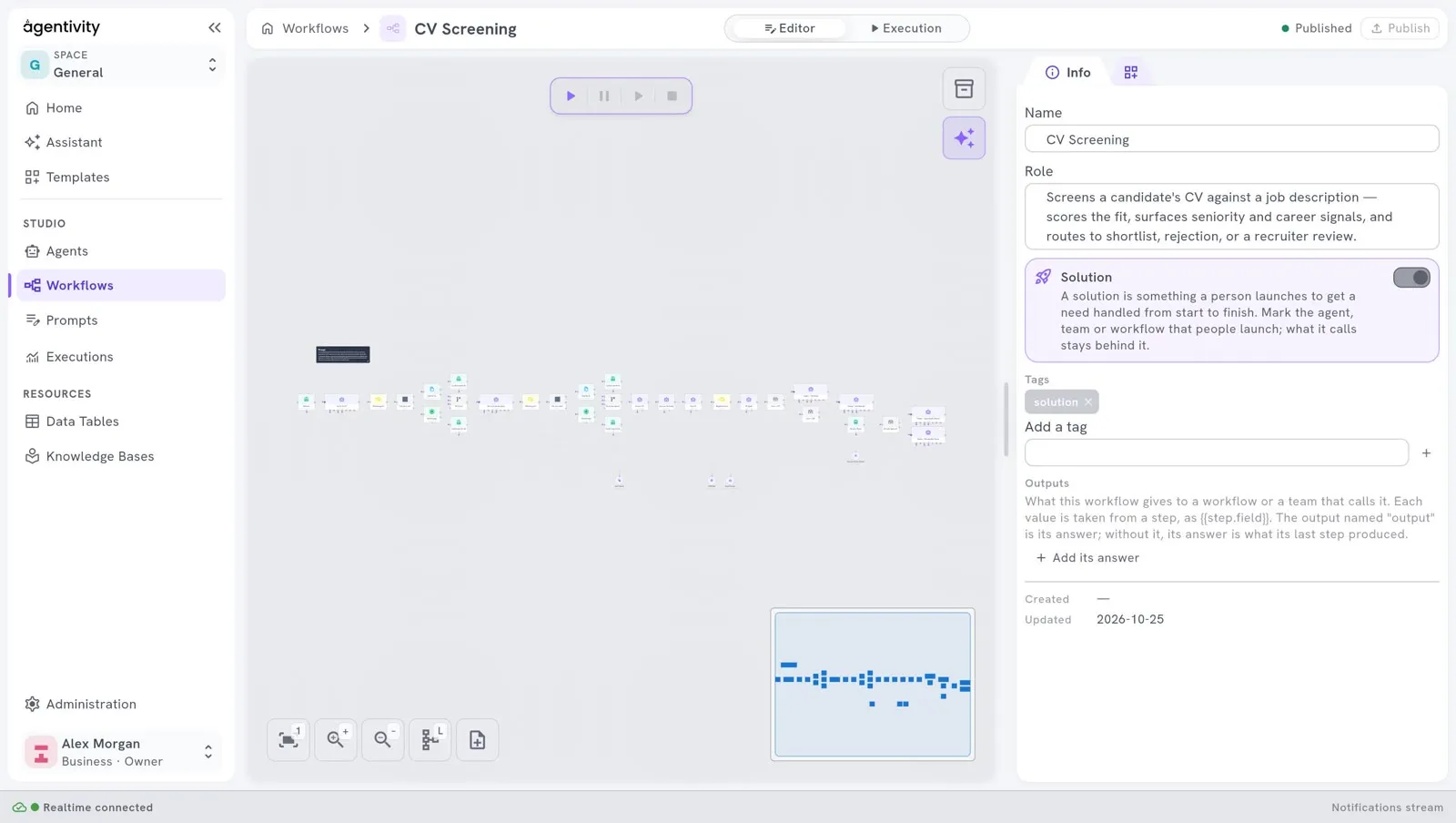
Section titled “What it contains”One workflow, CV Screening, with thirty-four elements.
What happens, in order
Section titled “What happens, in order”- It asks for the CV. An AI Agent step shows a box in the chat. You upload a file, give a link, or paste the text.
- It reads the CV. A Switch step chooses the path: one step reads the file, another reads the web page. A First Of step keeps whichever text arrived.
- It does the same for the job description.
- It puts both in a regular structure. Two LLM Prompt steps: one for the CV, one for the job description. Both are told to keep only what is written, and to invent nothing.
- It scores the fit on six axes. One LLM Prompt step gives a score from 0 to 100 on each axis. Another notes career facts, such as the seniority.
- It computes one score. A JavaScript step makes a weighted average of the six axes. The weights come from what the job description says matters.
- It chooses the path with two fixed thresholds. Two If steps: 75 or more is a shortlist, less than 50 is a rejection, and between the two the case goes to a recruiter.
- A recruiter reviews the cases in between. A Form Interaction step shows the score, the reasons, the skills found and missing, and waits for the decision.
- It writes the report. One AI Agent step per outcome writes the report in the chat.
What to look at
Section titled “What to look at”- Three ways in, one path. File, link or text: a Switch separates them, a First Of joins them. Reuse this each time an input can come in several forms.
- AI to read, a program to compute. AI steps read and judge each axis. The final score is computed by a program, so the same six scores always give the same result, and the report can show the formula.
- Fixed rules for the outcome. The thresholds are in If steps, where you can read and change them. An AI model does not choose the path.
- A form for the review. The recruiter sees everything needed to decide in one form. See Ask a person with a form.
- Messages when something fails. If a file cannot be read or a link cannot be opened, a Human Interaction step says so in the chat and asks to start again. See Ask a person to approve or answer.
- One model for all the AI steps. One model element is plugged into every AI step. To change the model, change it in one place.
Try it
Section titled “Try it”- Open Studio > Workflows and open CV Screening.
- Select the tab Execution, then Run.
- Give a CV, then a job description, when the workflow asks. Use fictitious ones.
See Run a workflow and follow each step.
Make it yours
Section titled “Make it yours”- Send every case to a person. Link the two automatic outcomes to the review step, or change the two thresholds. This is the first change to make before any real use.
- Reuse the shape. It fits any work where a document is compared with criteria: an offer against a call for tenders, an invoice against an order, a request against a policy. Keep the four parts: AI to read, a program to compute, fixed rules to route, and a person to decide.