
What Prompt Studio is for
Ce contenu n’est pas encore disponible dans votre langue.
A prompt is the text of a request that is sent to an AI model. Prompt Studio is the part of the Studio where you write prompts and work on them, apart from any agent.
What it is for
Section titled “What it is for”The instructions of an agent decide how well it works. Prompt Studio lets you work on such a text by itself:
- Write the prompt, with places for the values that change from one request to the next.
- Try it on an example and read the answer.
- Check it against cases you saved, each with the answer you expect.
- Improve it: ask for an analysis of its strong and weak points, and for a better version.
When the prompt is good, you copy it into the instructions of an agent or into an AI step of a workflow.
Where it is
Section titled “Where it is”In the menu on the left, open Studio > Prompts. The list shows your prompts, with their name and their category.
- New prompt creates a prompt.
- Search prompts finds one by its name.
- Double-click a line to open a prompt in Prompt Studio.
The screen
Section titled “The screen”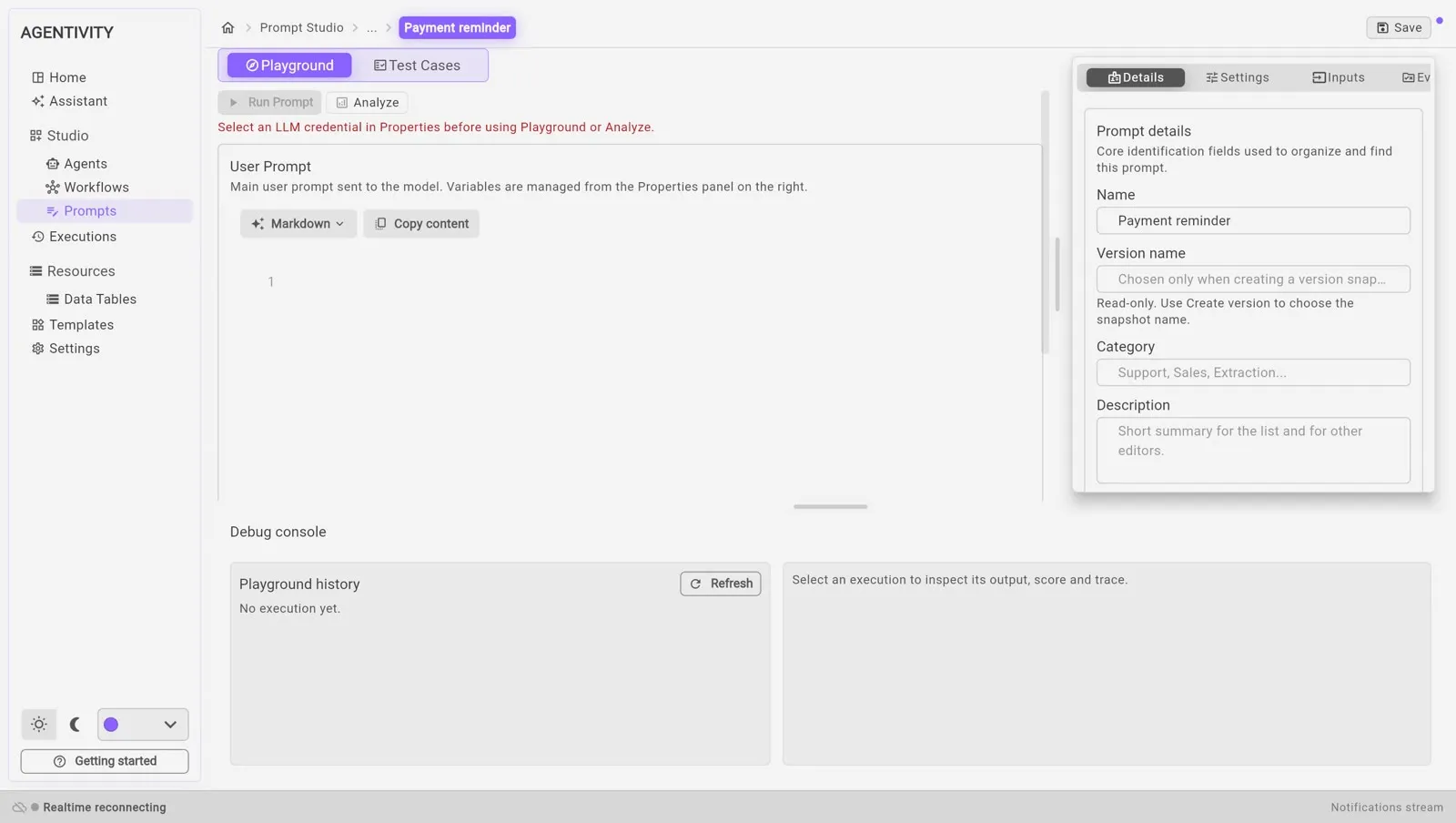
| Part | What it is for |
|---|---|
| The tab Playground | Write the prompt and try it freely. |
| The tab Test Cases | Keep cases with the expected answer, and run them all. |
| Run Prompt | Sends the prompt to the AI model. |
| Analyze | Asks for an analysis of the prompt. |
| The panel on the right | Details (name, category, description), Settings (model connection and generation settings), Inputs (the values that change), and the evaluation prompt. |
| Debug console | The history of what you ran, with the output of each execution. |
| Save, at the top right | Saves the prompt. |
What is not in the Community edition
Section titled “What is not in the Community edition”Keeping named versions of a prompt, and going back to one, is not in the Community edition.