
What a Knowledge Base is for
Ce contenu n’est pas encore disponible dans votre langue.
A Knowledge Base is a set of your own texts that your agents can search. It reads a source, for example a folder of guides or a website. It keeps what it read, cut into short passages. When an agent asks a question, the base gives back the passages whose meaning is the closest.
What it is for
Section titled “What it is for”An AI model does not know your company. A Knowledge Base is how you give it what it must know: your policies, your guides, your articles, the pages of your site.
- The agent does not read everything. It asks, and it receives only the few passages that fit.
- It finds by meaning, not by exact words. A question about “sending a laptop back” finds the passage titled “Returns”.
- It stays up to date. The base reads its source again, as often as you choose. See Keep a Knowledge Base up to date.
- It needs no account. The search runs on your server, with a small local model. Agentivity downloads that model the first time it starts, so the machine needs an internet connection for that.
In our example, a base named Payment terms holds the terms of payment of the company. The agent Reminder Writer searches it each time it writes a reminder.
What a base reads
Section titled “What a base reads”Each base reads one kind of source. A Community installation offers eight.
| Kind | What it reads |
|---|---|
| Text | Texts that you type in the base itself. |
| Files | Text files on the server: plain text, Markdown, HTML, JSON. One file, or the files of a folder. |
| Web pages | Web pages that you list, one address per line. |
| Sitemap | Every page of a website, from the address of its sitemap. |
| RSS/Atom feed | The latest entries of a news feed or a blog. |
| API | A web address that returns text or JSON: one document, or one per item of a JSON list. |
| PostgreSQL | The rows of a PostgreSQL database, one document each, read with a query. |
| SQLite | The rows of a SQLite file on the server, one document each, read with a query. |
To create one, see Create a Knowledge Base.
Who can use a base
Section titled “Who can use a base”| Who | How |
|---|---|
| An AI Agent | The agent searches the base when it wants, with a tool named after the base. See Give a Knowledge Base to an agent or a prompt. |
| An LLM Prompt | The base is searched once with the prompt, and the passages are added to the prompt. |
| You, in the Studio | Open the base, look at what it holds, and try a search. See Look inside a Knowledge Base. |
Where the bases are
Section titled “Where the bases are”In the menu on the left, open Resources > Knowledge Bases. It is the same kind of screen as Data Tables: folders on the left, a list of bases, a button New Knowledge Base.
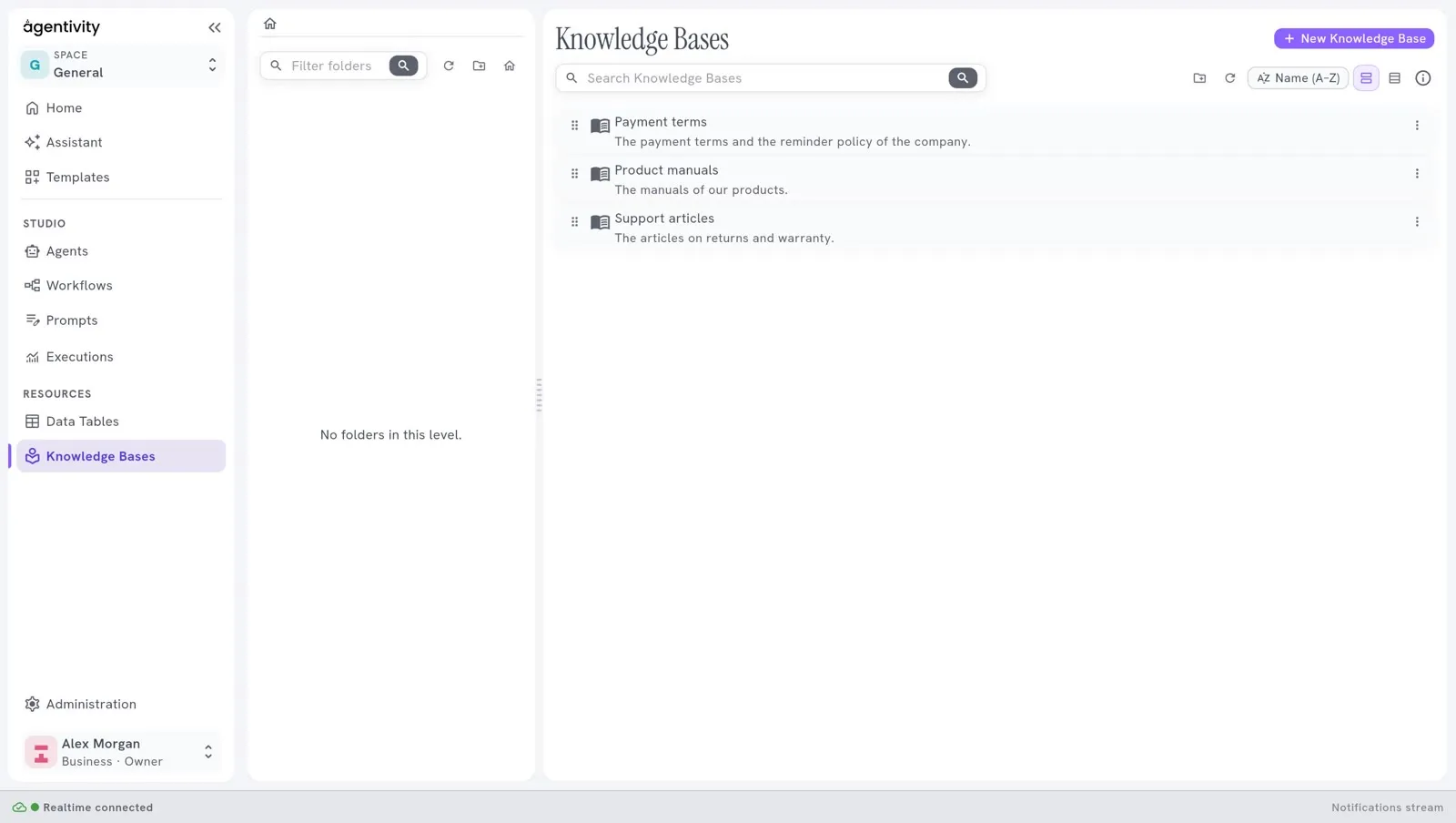
The list shows each base with its name and what it holds. The two view buttons, next to the order list, switch to the Table view, which has four columns after the name:
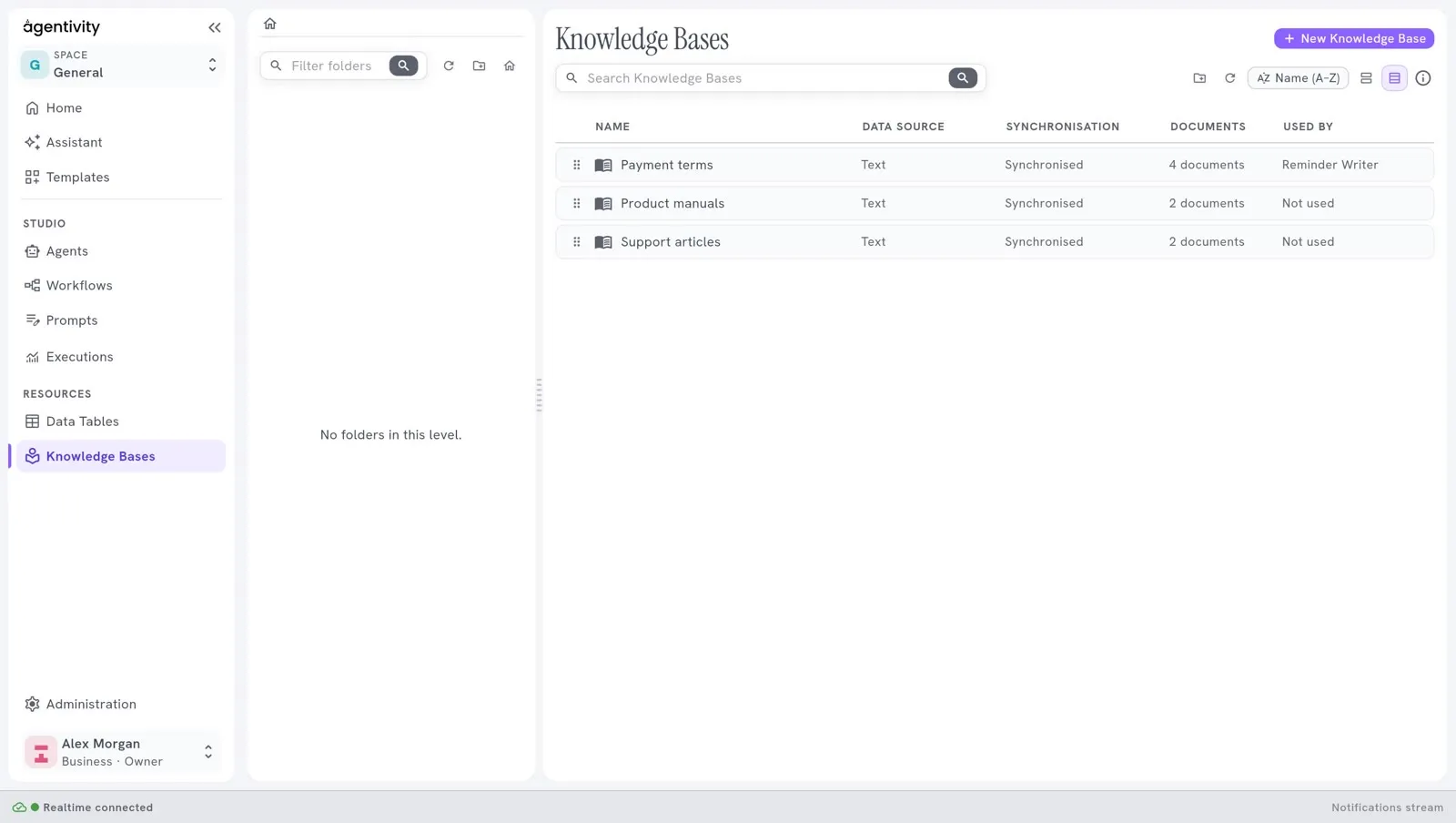
| Column | What it says |
|---|---|
| Data source | The kind of source of the base. |
| Synchronisation | Synchronised, Synchronising…, Failed or Never synchronised. |
| Documents | How many documents the base holds. |
| Used by | The agents and workflows that use it, or Not used. |
Double-click a base to open it.
Not the same as a Data Table, a Session or a Vector Store
Section titled “Not the same as a Data Table, a Session or a Vector Store”| If the agent must… | Use |
|---|---|
| Know your texts | A Knowledge Base |
| Look up facts kept in rows | A Data Table |
| Remember the earlier messages of a conversation | An Agent Session |
| Keep notes while it works | A Vector Store |
See Where each kind of information goes, which compares them.
Good to know
Section titled “Good to know”- The passages an agent receives are sent to your AI model provider, like the rest of what an agent works with. Do not put in a base what must not leave your server.
- A Template carries the bases that its agents search, but never their documents. See Share your work as a Template.
- Earlier versions of a base are not kept in the Community edition.
- Files and SQLite read the server. They are for an installation that you run yourself. The cloud edition does not offer them.
- Agentivity has no login. Anyone who can reach your server can read and change every base.