
Look inside a Knowledge Base and try a search
Ce contenu n’est pas encore disponible dans votre langue.
The window of a Knowledge Base shows what it read, whether it went well, and what an agent would find in it. You do not need it to use a base. It is how you check that the base holds what you think.
What you need
Section titled “What you need”- A Knowledge Base. See Create a Knowledge Base.
Open the window
Section titled “Open the window”In Resources > Knowledge Bases, double-click the base. A window opens over the list.
The figures at the top
Section titled “The figures at the top”| Figure | What it says |
|---|---|
| State | Synchronised, Synchronising…, Failed or Never synchronised. |
| Holds | The number of documents and of passages, for example “3 documents · 3 passages”. A passage is a piece of a document. |
| Last synchronised | The date and the time of the last reading. |
| Kept up to date | By hand, When the source changes, or “Every 24 h” with a delay. |
| Reads | The kind of source. |
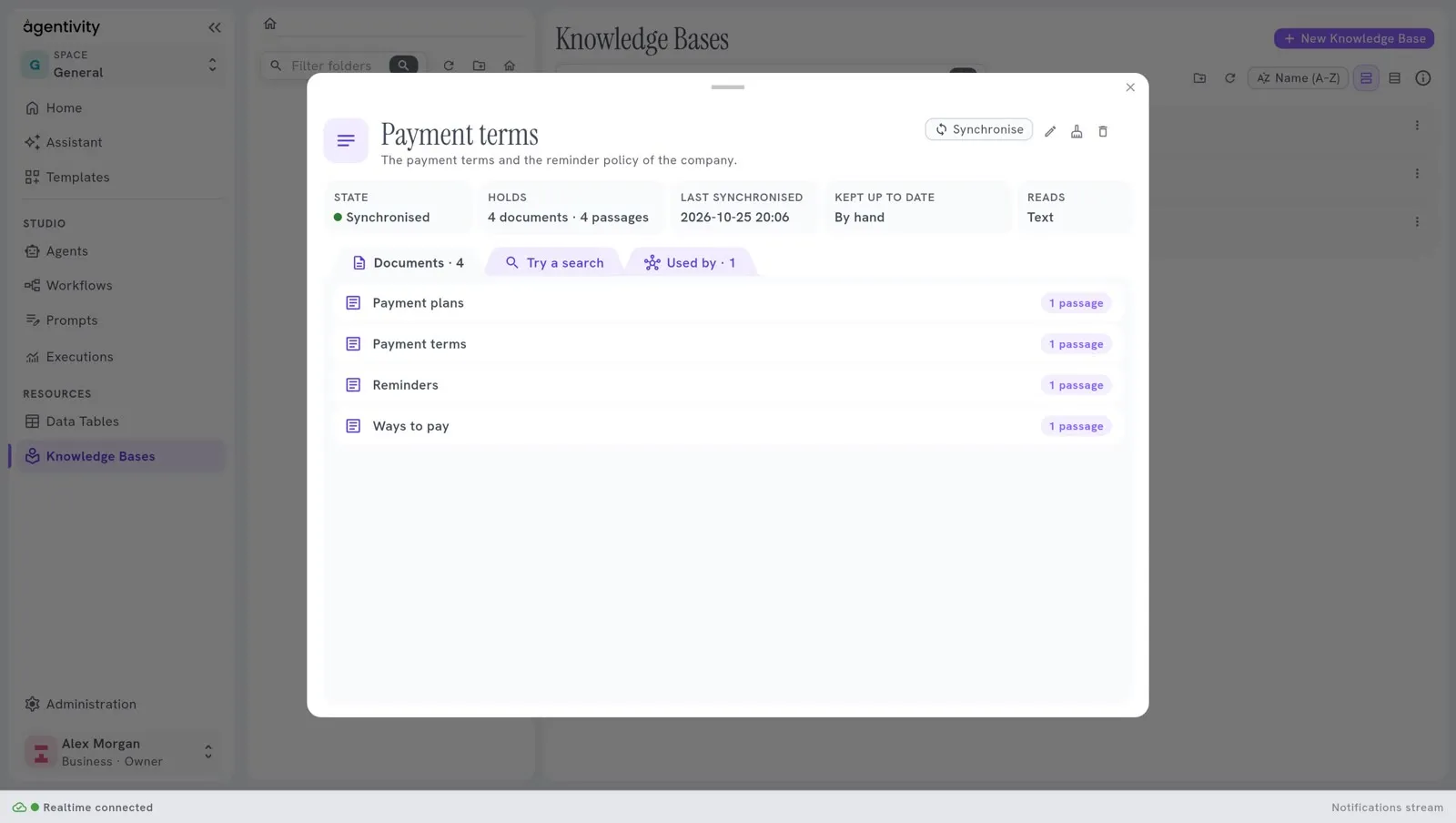
At the top right, Synchronise reads the source now. Three small buttons follow: Edit, Empty and Delete. See Change, empty or delete a Knowledge Base.
What could not be read
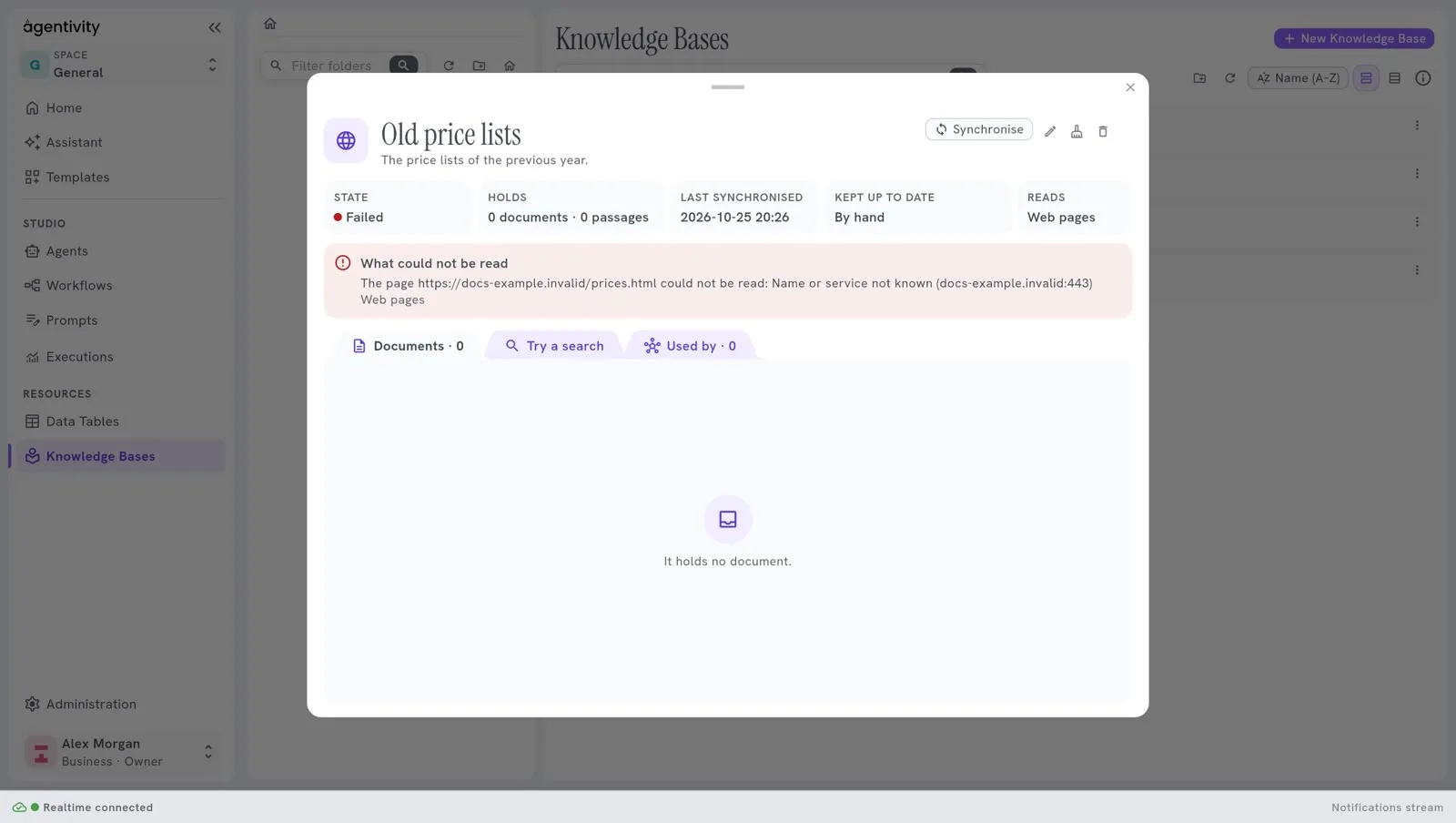
Section titled “What could not be read”If the last reading failed, or if part of it failed, a red frame titled What could not be read lists each problem, in the words of the server, with the kind of source it concerns. For example, a path that Agentivity refuses to read, or a web address that does not answer.
The three tabs
Section titled “The three tabs”Documents
Section titled “Documents”The tab Documents lists what the base holds. Each line shows the title of the document, where it comes from (a file path or an address), and how many passages it gave. A long text gives several passages.
Before the first reading, the tab says: “Nothing read yet: synchronise it, or it is read at its first search.” If the source gave nothing: “It holds no document.”
Try a search
Section titled “Try a search”The tab Try a search lets you ask what an agent would ask.
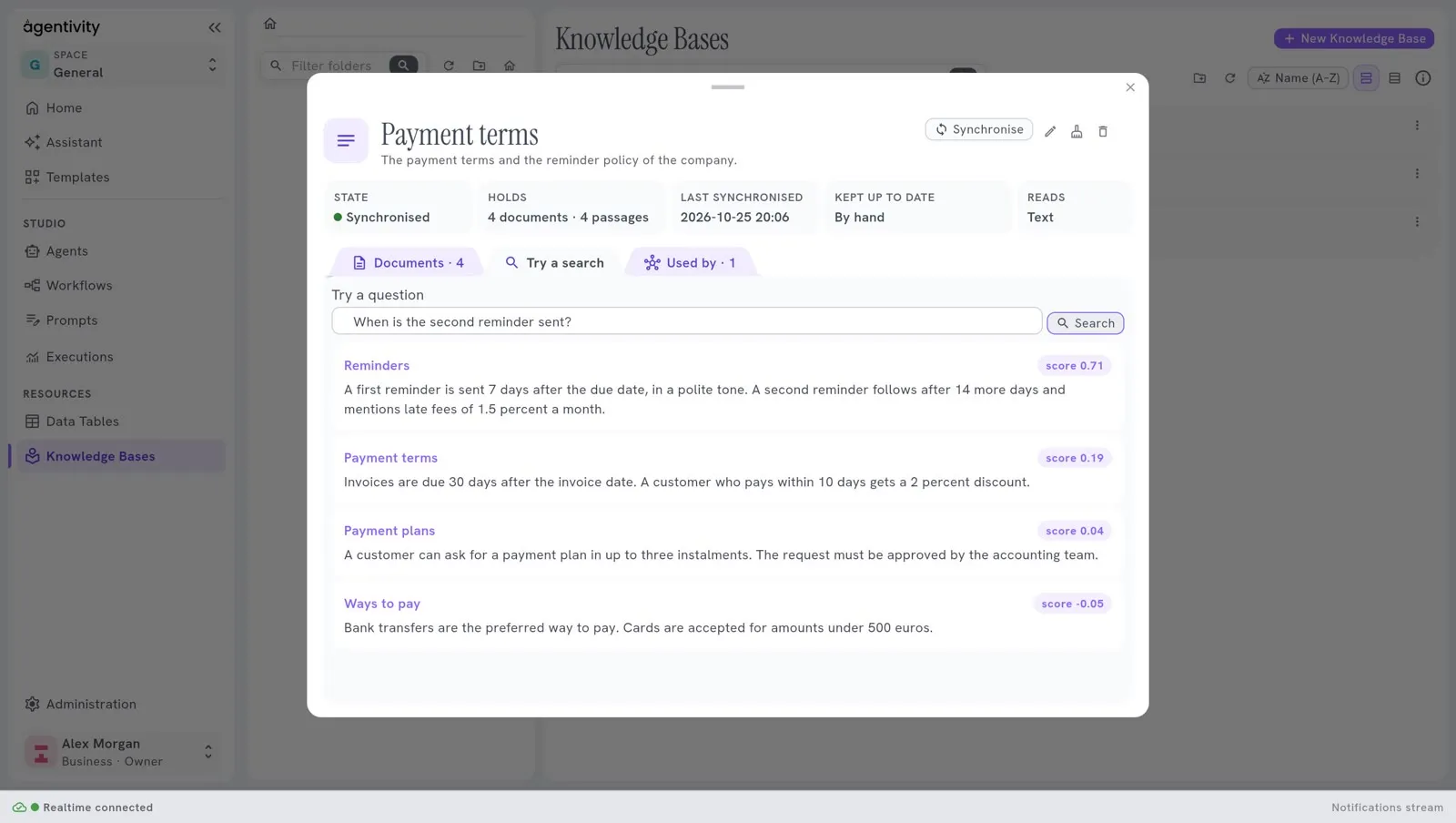
- Type a question in Try a question, for example “Can I return my laptop?”.
- Select Search.
The passages that the agent would receive come out, the closest first. Each shows its title, its text and a score. The higher the score, the closer the passage is to your question.
If the base finds nothing, the tab says “Nothing found.”
This is the best way to improve a base. If the passage you expected does not come first, the document is badly cut, or it does not say what you think. Change the text of the source, synchronise, and try again.
Used by
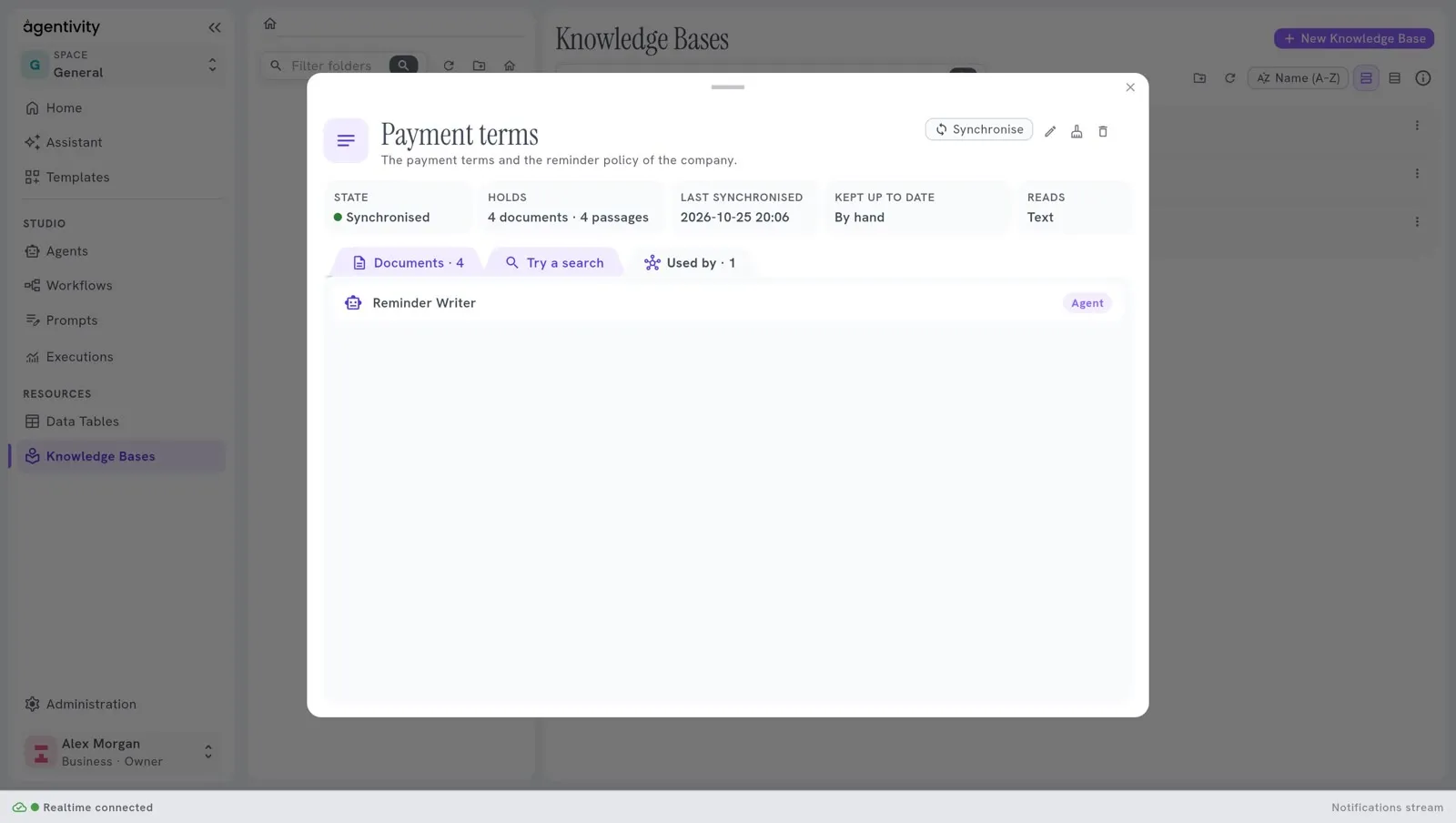
Section titled “Used by”The tab Used by lists the agents and workflows that use the base, each with its kind. If there is none: “No agent or workflow uses it yet.” See Give a Knowledge Base to an agent or a prompt.
How to know it worked
Section titled “How to know it worked”After a synchronisation, State says Synchronised and Holds is not zero. A search on a word that your documents contain brings back the right passage first.
If it does not work
Section titled “If it does not work”- The state is Failed after the server stopped. The red frame says the synchronisation was cut off when the server stopped. What it had read is kept: select Synchronise to finish.
- The state is Failed, and a red frame shows. Read What could not be read. For example, a Files base fails when its path is inside the installation of Agentivity (use a folder mounted outside
/app), and a base on the web fails when an address does not answer. - “Nothing found.” The base holds nothing that is close to the question, or it is empty. Check Holds.
- The search takes long the first time. The base was due, and the search synchronised it first. See Keep a Knowledge Base up to date.