
Usage, monitoring and the audit journal
Ce contenu n’est pas encore disponible dans votre langue.
The group Activity of Administration has three panes: Usage, Monitoring and Audit journal.
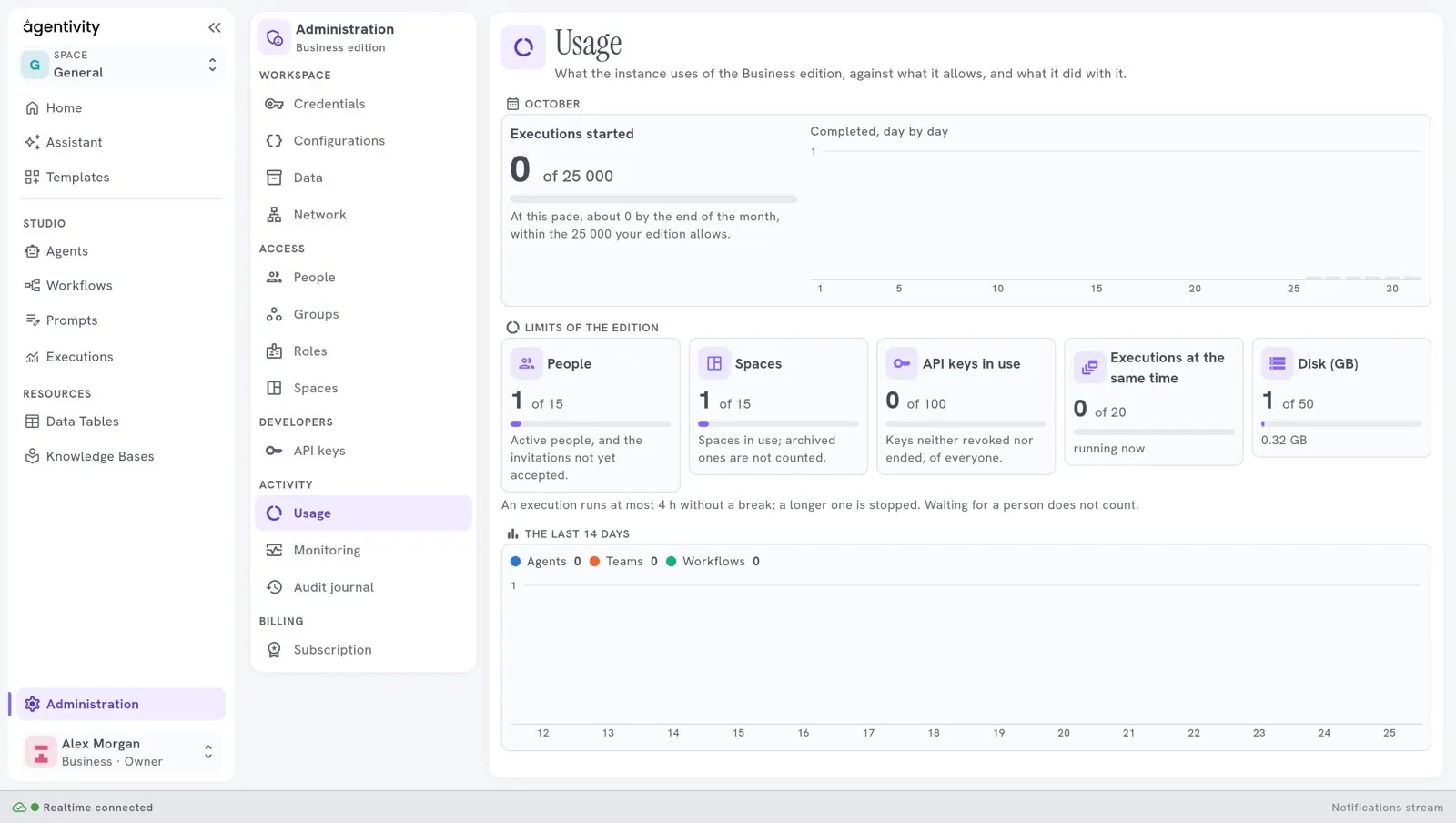
Usage shows what the workspace uses of its plan, and what it did with it. It has four blocks:
- Executions started in the current month, against the number your plan allows, with a line such as “At this pace, about N by the end of the month, within the 25 000 your edition allows”, and a chart Completed, day by day.
- Limits of the edition, one card for each limit: People (active people and invitations not yet accepted), Spaces (archived ones are not counted), API keys in use (keys neither revoked nor ended, of everyone), Executions at the same time (running now) and Disk (GB).
- The last 14 days: executions of agents, teams and workflows.
- Models this month: which models were used.
A line under the limits reminds you that an execution runs at most for the length your plan allows without a break, and that a longer one is stopped. An execution that waits for a person does not count. See Plans and their limits.
The month is the calendar month.
Monitoring
Section titled “Monitoring”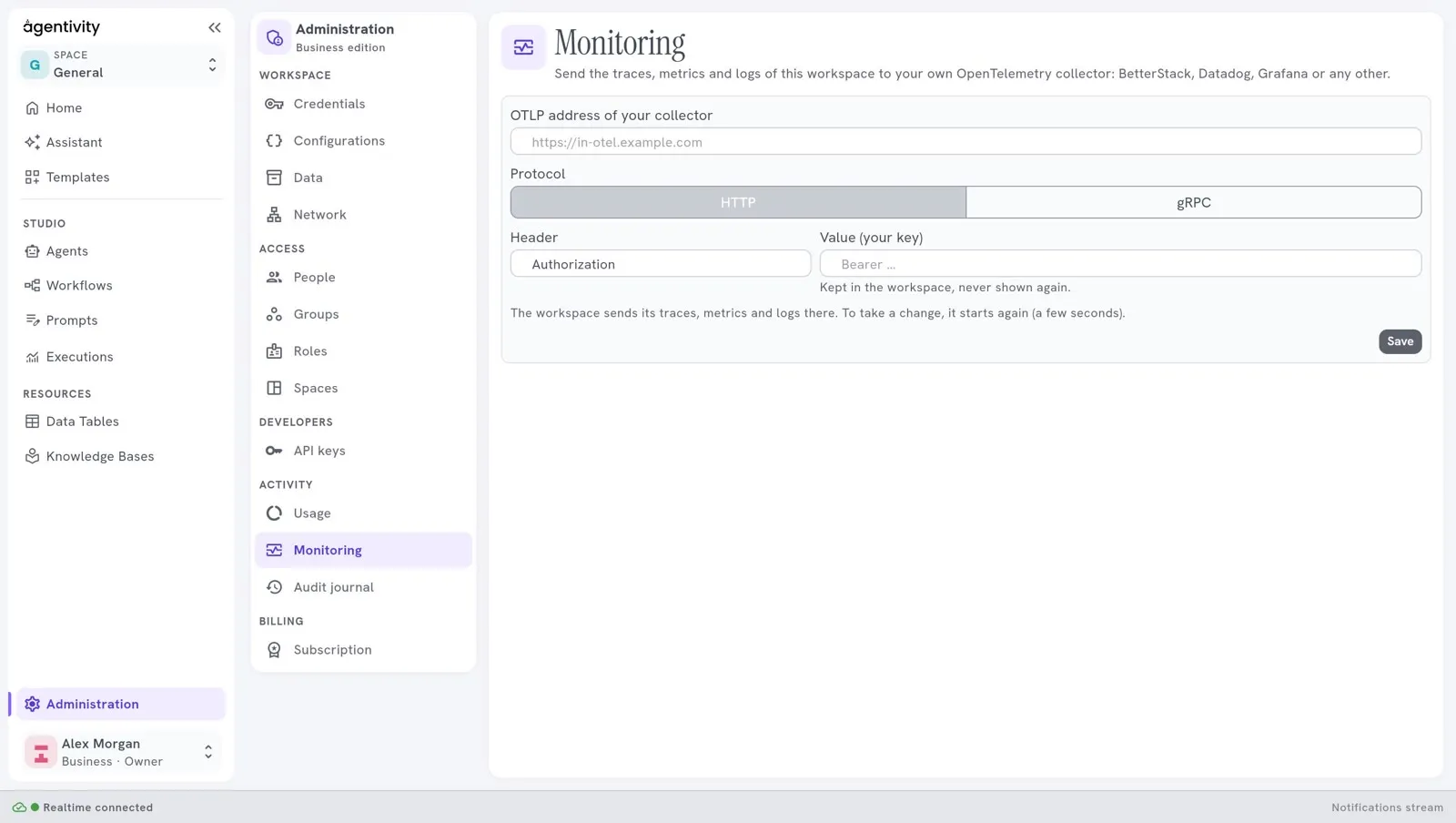
Monitoring sends the traces, metrics and logs of the workspace to your own OpenTelemetry collector: BetterStack, Datadog, Grafana or any other. It comes with the Business plan.
- Give the OTLP address of your collector.
- Choose the Protocol, HTTP or gRPC.
- Give the Header (usually Authorization) and its Value, which is your key. The value is kept in the workspace and never shown again.
- Select Save.
To take the change, the workspace starts again, which takes a few seconds. Turn off stops the sending.
Audit journal
Section titled “Audit journal”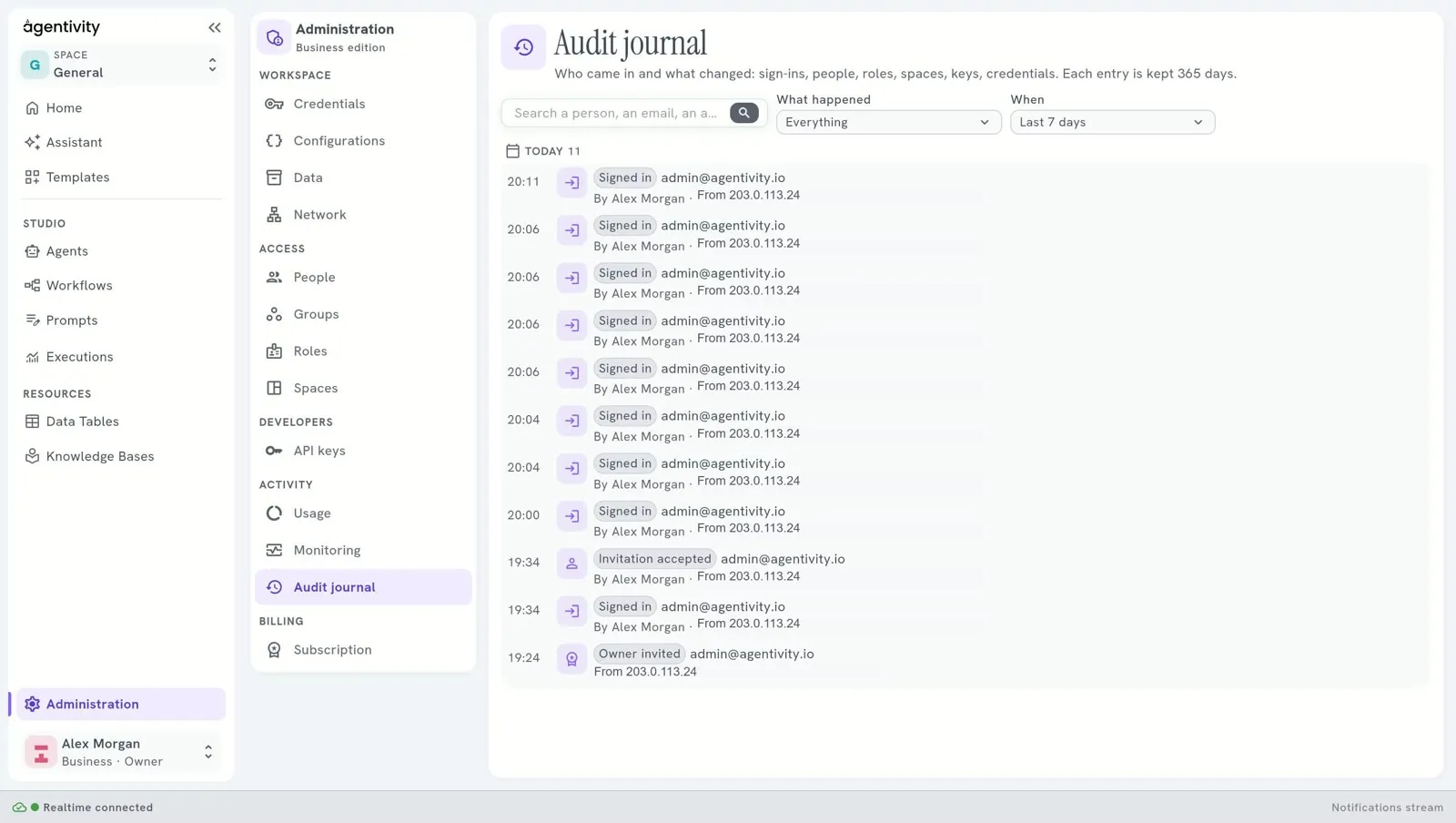
The Audit journal says who came in and what changed: sign-ins, people, roles, spaces, keys and credentials. Each entry is kept 365 days. It comes with the Business plan.
You can search the entries, and filter them by What happened and by When: the last 24 hours, 7 days, 30 days, or all that is kept. An entry says what happened, who did it and when, for example Owner created or Signed in.
Next step
Section titled “Next step”Workspace panes: credentials, configurations, data and network.