
Start a VibeApp with the React SDK
This page is for developers. The fastest way to start is to run the portal example against your own server, then change it.
What you need
Section titled “What you need”- Agentivity running. See Install Agentivity with Docker.
- At least one solution with the tag
solution. See Show a team in the portal. - Node.js and git on your machine.
Get the SDK and the portal
Section titled “Get the SDK and the portal”The portal example expects the SDK in the folder next to it. Clone both into the same parent folder.
git clone https://github.com/agentivity-labs/agentivity_sdk_react.gitgit clone https://github.com/agentivity-labs/agentivity_sdk_showcase_solutions.gitThe package @agentivity-labs/sdk-react is not on the npm registry yet. Until it is, use it from the cloned folder, as the portal does.
Build the SDK
Section titled “Build the SDK”cd agentivity_sdk_reactnpm installnpm run buildSet the address of your server
Section titled “Set the address of your server”In the folder agentivity_sdk_showcase_solutions, create a file named .env.local with one line. It gives the address through which the application reaches Agentivity.
VITE_AGENTIVITY_BASE_URL=http://localhost:5005The portal runs on its own port, and the server accepts calls from any page by default. So you can give the address of Agentivity directly, with nothing else to set.
This is for developing, on your machine or on a network you trust. Before you put an application online, limit the pages that may call the server. See Before you put a VibeApp online.
Start the portal
Section titled “Start the portal”cd agentivity_sdk_showcase_solutionsnpm installnpm run devOpen the portal through the shared address.
How to know it worked
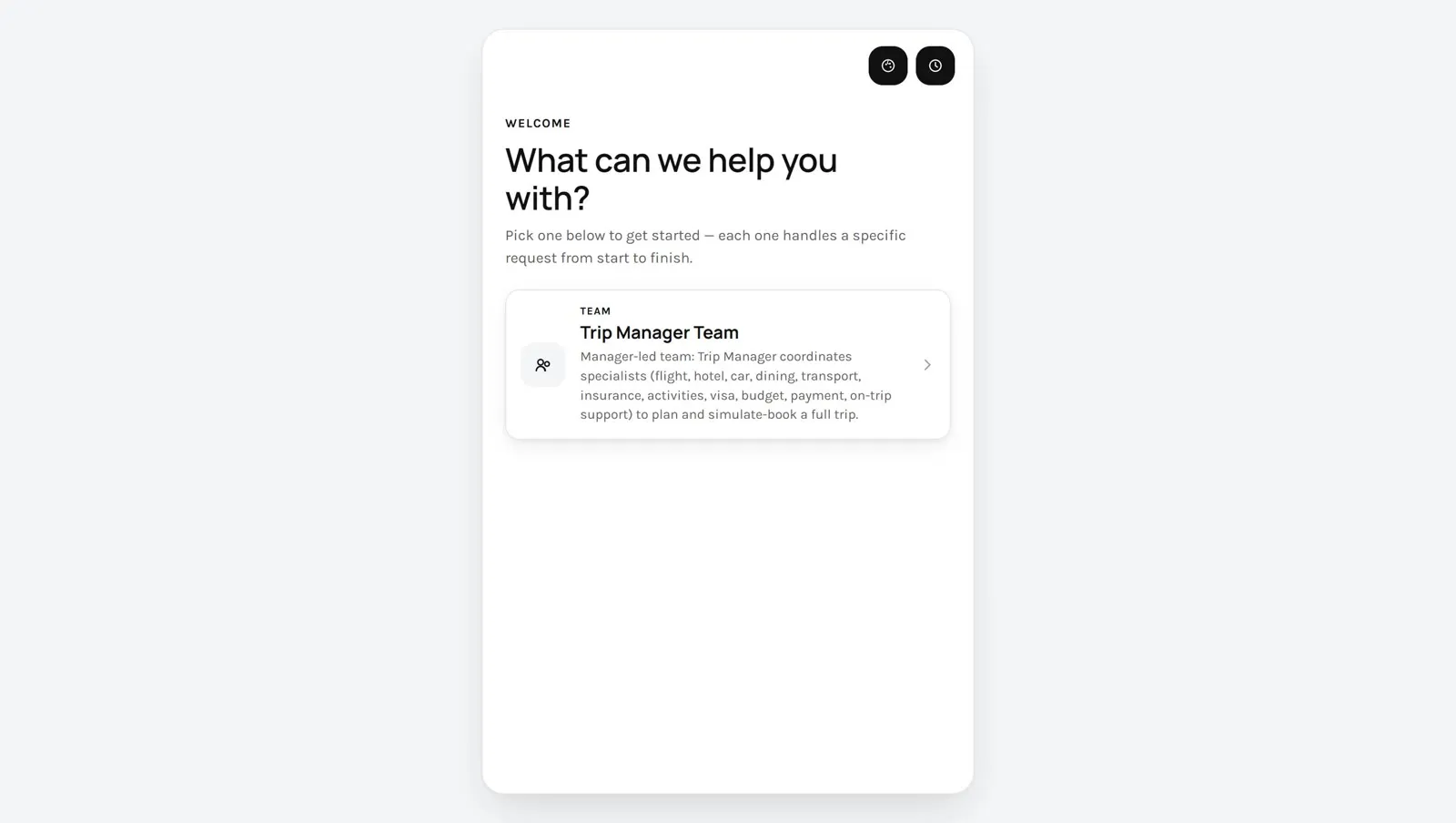
Section titled “How to know it worked”The welcome screen lists your solutions, one card each. Select a card: the conversation opens, and for a team, the team is drawn on the right.
Make it yours
Section titled “Make it yours”One file holds what you change for your own portal: src/config.ts.
| Setting | What it is |
|---|---|
brandName | The name shown in the header and in the browser tab. |
logoUrl | The address of a logo, shown instead of the name. |
themeId | The default look, among the themes of the portal. |
solutionTags | The tags that mark what the portal lists. |
tagMode | any lists what carries at least one of the tags. all lists only what carries every tag. |
The SDK in your own application
Section titled “The SDK in your own application”In an application of your own, wrap your components in the provider of the SDK and give it the address of the server.
import { AgentivityProvider } from '@agentivity-labs/sdk-react';import '@agentivity-labs/sdk-react/styles.css';
export function App() {  return (    <AgentivityProvider baseUrl="https://agentivity.example.com">      <YourScreens />    </AgentivityProvider>  );}
The SDK needs React 18 or later.
If it does not work
Section titled “If it does not work”- The welcome screen is empty. No entity carries the tag the portal looks for. Check
solutionTagsand the tags in the Studio. - The browser console shows blocked calls. The server was started with the setting
Cors__AllowedOrigins, and the address of the portal is not in its list. Add it, or remove the setting while you develop. See Who can call the API. npm installfails in the portal. The folderagentivity_sdk_reactis not next to it, or it was not built.