
The Templates screen
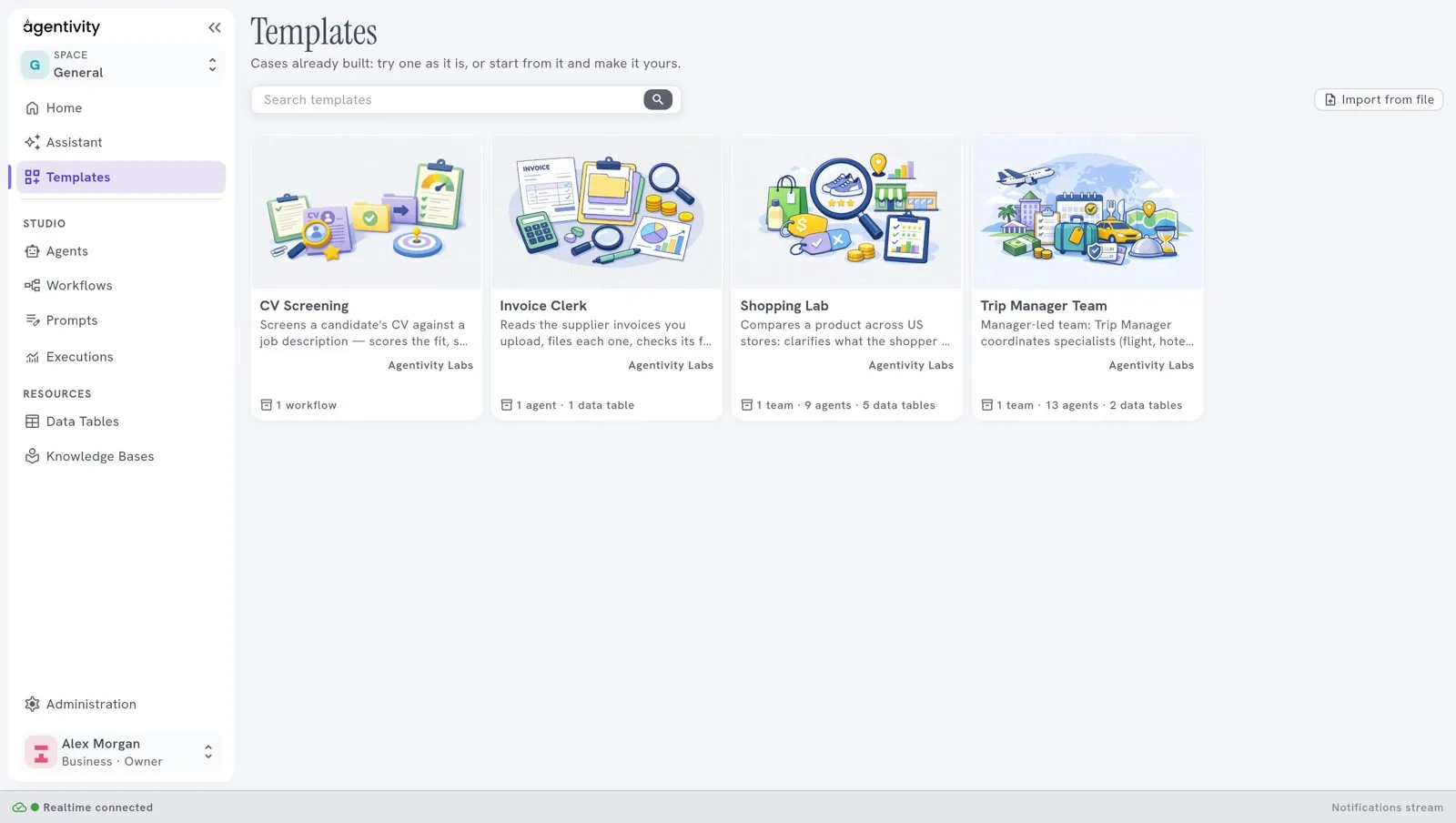
Templates shows the ready-made solutions that you can add to your workspace. A Template is one file that holds a solution and everything it needs.
What you need
Section titled “What you need”An internet connection on the machine where Agentivity runs. The list comes from the Agentivity marketplace.
The list
Section titled “The list”Each card is a Template. It shows a picture, the name, a short description, its author and what it contains (for example “1 team · 9 agents · 5 data tables”, and the Knowledge Bases too, such as “1 team · 4 agents · 1 knowledge base”).
- Search templates finds a Template.
- Import from file, at the top right, adds a Template that you received as a file.
The window of a Template
Section titled “The window of a Template”Select a card to open it.
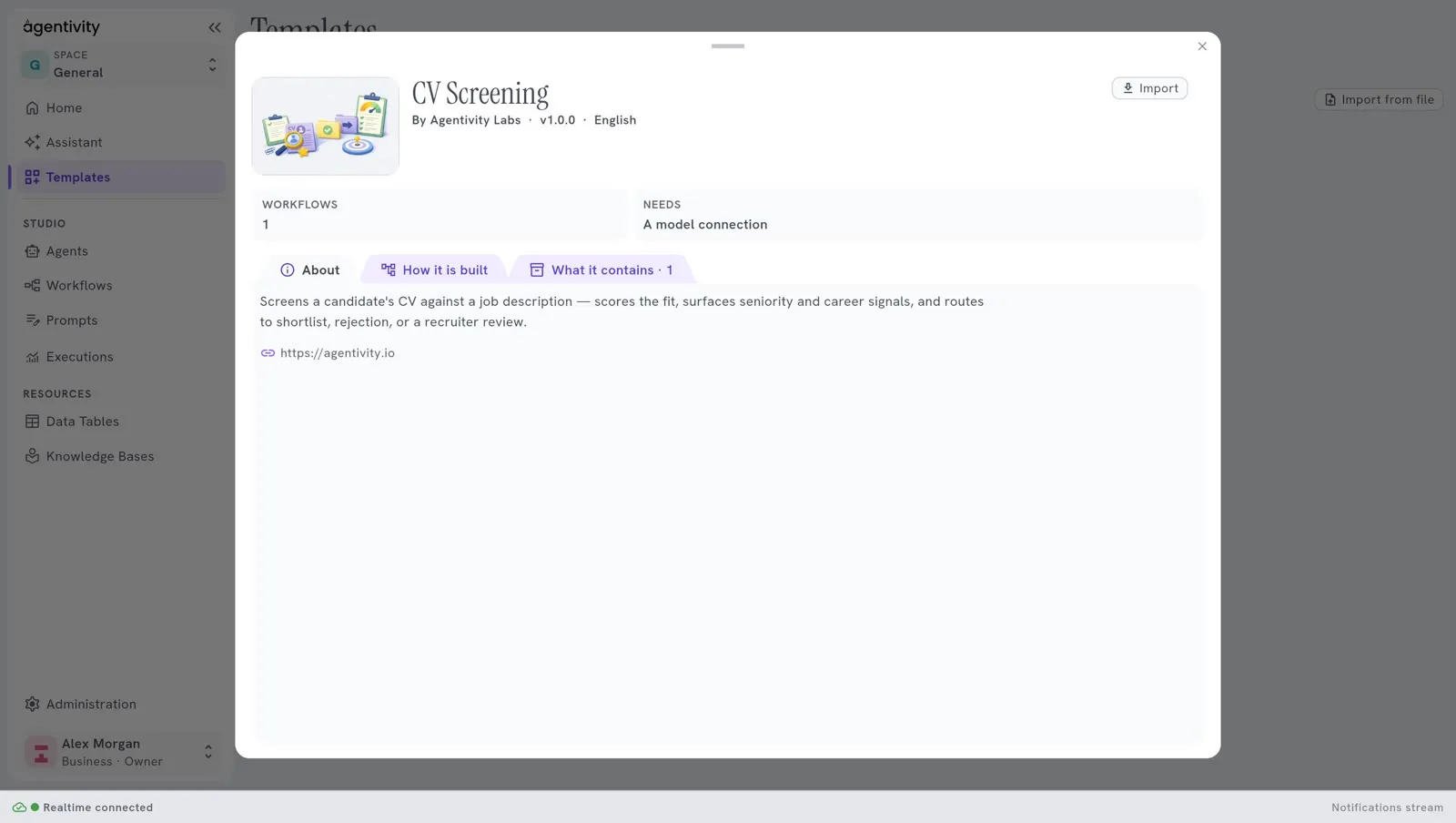
The window shows:
- the name, the author, the version and the language, and the button Import;
- what the Template contains and what it needs (for example “A model connection”, when the Template needs an AI model);
- the tab About: its description and the author’s website;
- the tab How it is built: a drawing of the solution, before you import anything;
- the tab What it contains: the list of its parts.
Import adds the Template to your workspace. The cross at the top right closes the window and goes back to the list.
Import from a file
Section titled “Import from a file”When you received a Template as a file:
- Select Import from file, at the top right.
- Choose the file.
- Select Import.
After an import
Section titled “After an import”The import creates new copies: nothing you already have is changed. See Try a ready-made solution for the model connection of the imported agents.