
Change, empty or delete a Knowledge Base
You can change a Knowledge Base at any time. Agents that use it keep working: they search the base under its new settings.
What you need
Section titled “What you need”- A Knowledge Base. See Create a Knowledge Base.
Change its settings
Section titled “Change its settings”- In Resources > Knowledge Bases, double-click the base.
- Select the pencil, Edit.
- The window opens on the step Where it reads from. Change a setting. Select Continue to go to About it, where you can change the name, What it holds and how the base stays up to date.
- Select Save.
The kind of source cannot be changed. To read another kind of source, create another base.
Saving does not read the source again. What the base holds stays as it was until its next synchronisation. Select Synchronise in the window of the base to read it now. See Keep a Knowledge Base up to date.
Rename it
Section titled “Rename it”In the list, open the menu of the line and select Rename. Type the name, then select Rename. A base needs a name.
Agents find a base by its identifier, not by its name, so renaming it breaks nothing. The tool that an agent has for the base is named after the base: it takes the new name the next time the agent runs.
Put it in a folder
Section titled “Put it in a folder”The explorer of Knowledge Bases has folders, as Data Tables has (see Organise your work in folders): Create folder, Rename folder, Delete folder, and Move to root. A folder you delete is deleted with everything in it, bases included.
Empty it
Section titled “Empty it”Emptying removes what the base holds: its documents and its passages. The base, its source and its settings stay.
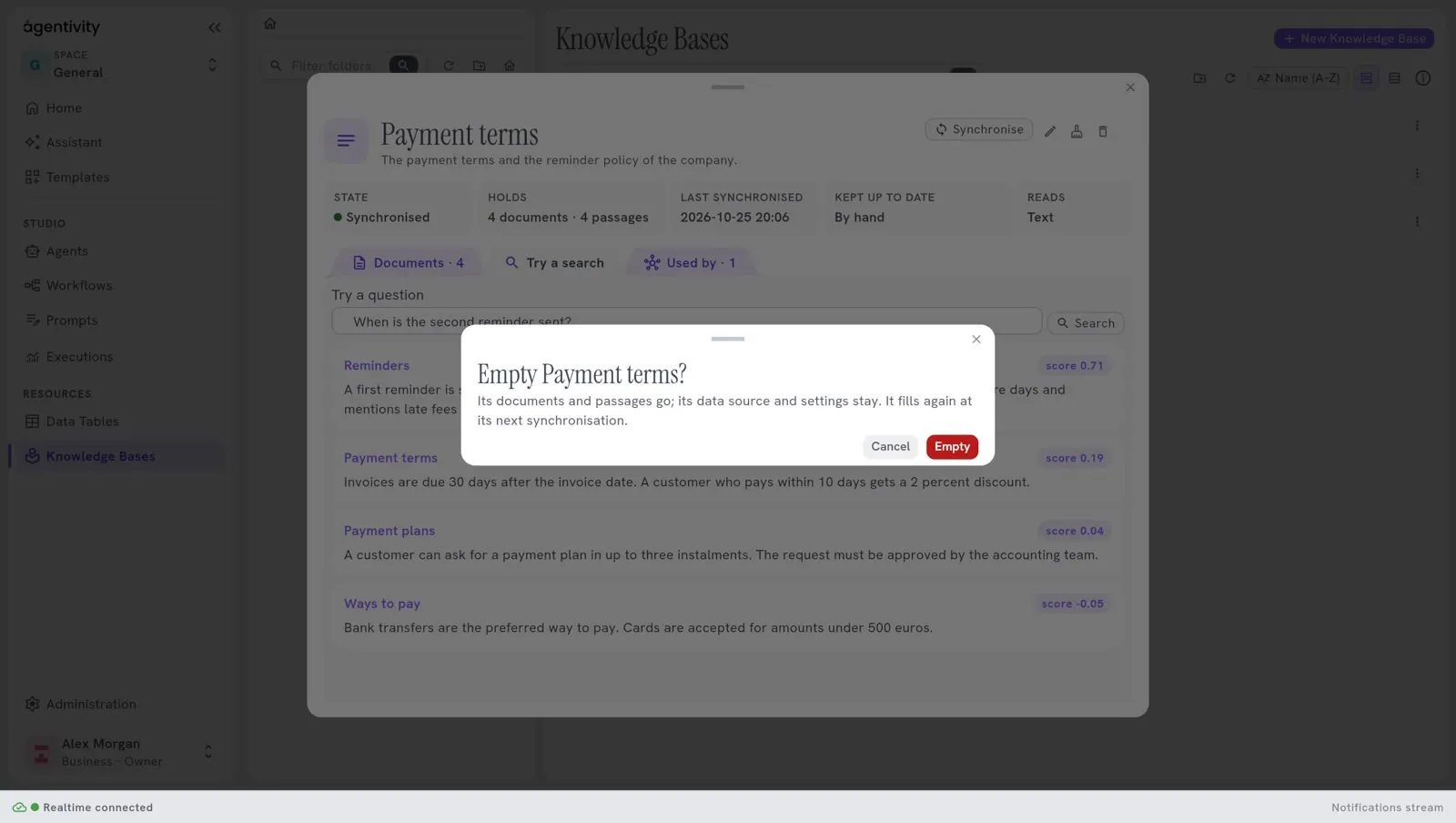
- Double-click the base, then select the button Empty (its name shows when you point at it).
- Read the question “Empty
?”: “Its documents and passages go; its data source and settings stay. It fills again at its next synchronisation.” - Select Empty.
Use it when the source changed a lot and you want a clean start, or to remove what an old reading left. The base is read again at its next search, or when you select Synchronise. Whatever way the base is kept up to date, the next search reads the source first, because the base holds nothing.
Delete it
Section titled “Delete it”- Double-click the base, then select the bin, Delete. In the list, the menu of the line has Delete too.
- Read the warning. It says: “It is deleted with what it holds.” If agents or workflows use the base, it names them: “These would no longer find anything in it”, with the name and the kind of each.
- Select Delete.
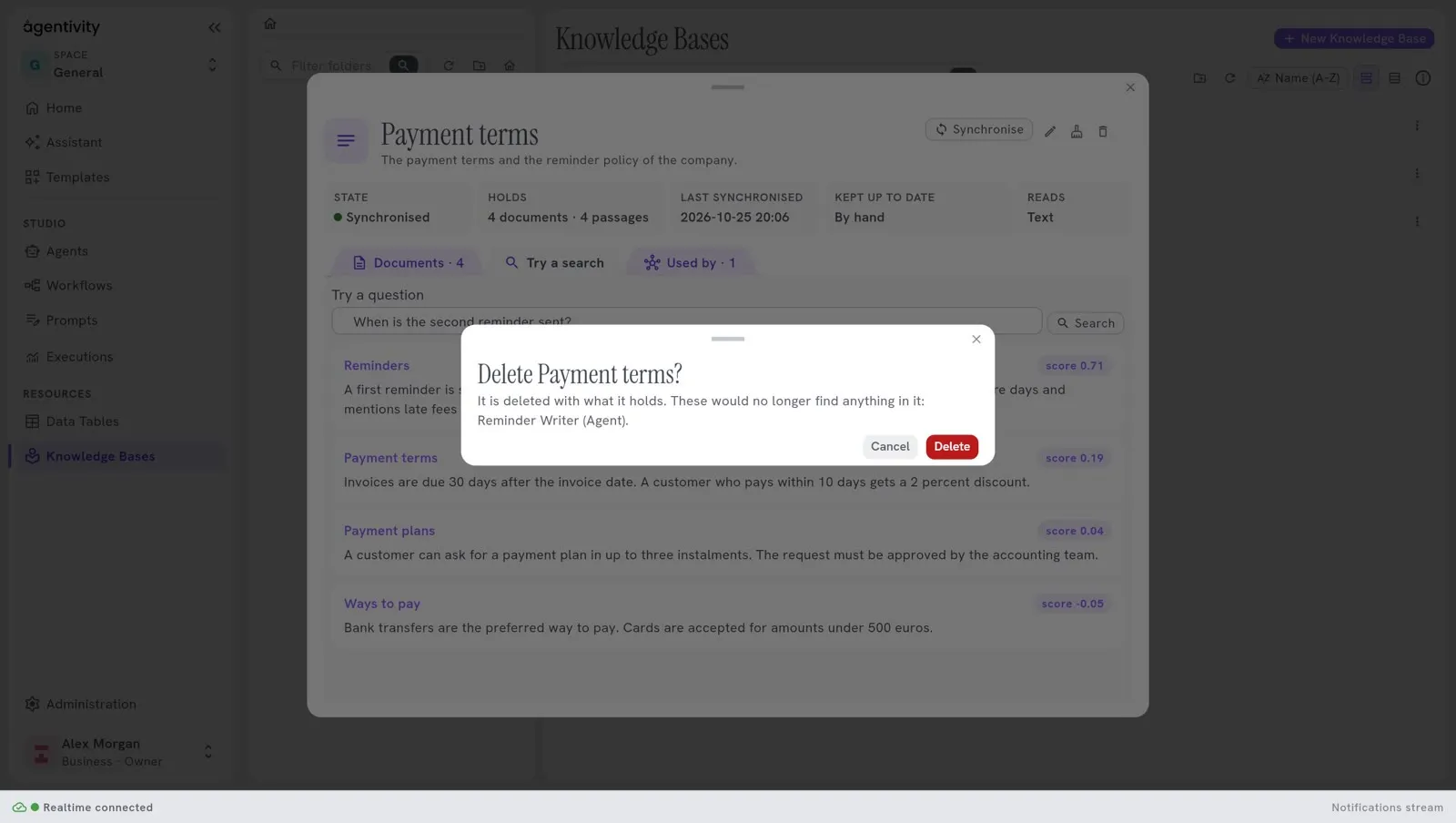
This cannot be undone. The agents and workflows that used the base are not deleted, but their step Knowledge Base now points to nothing, and they find nothing. Give them another base: see Give a Knowledge Base to an agent or a prompt.
How to know it worked
Section titled “How to know it worked”- After an edit and a synchronisation, a search finds the new text.
- After Empty, Holds says no document, and State goes back to Never synchronised.
- After Delete, the base is not in the list.
Good to know
Section titled “Good to know”- Earlier versions of a base are not kept in the Community edition. A change or a deletion cannot be taken back.
- A base that a Template brought can wait for a setting before it reads anything. See Share your work as a Template.